
Preventive Maintenance Checklist for Excavators: What to Check and When
Key Takeaways
- Tool tracking software digitally tracks tools, showing where they are, who is using them, and their condition in real time.
- It replaces manual logs and spreadsheets, reducing tool loss, theft, and confusion across teams and vehicles.
- Key features include tagging, check-in/check-out, maintenance alerts, mobile access, and usage reports.
- Fleets and field teams use it to cut downtime, lower costs, improve accountability, and stay compliant.
- When combined with fleet maintenance software like Simply Fleet, tool tracking creates one unified system for vehicles, tools, and operations.
In fleet-driven businesses, tools are just as critical as vehicles. Whether it’s power tools, diagnostic devices, safety equipment, or specialized instruments, losing track of tools slows jobs, increases costs, and creates operational chaos. This is where tool tracking software becomes essential.
Tool tracking software is a digital system that helps businesses track, manage, and control tools and equipment across locations, vehicles, and teams. It shows where tools are, who is using them, and when they need fleet maintenance.
For fleets operating in construction, field services, logistics, or NEMT, tool tracking is no longer optional. It is a core operational requirement.
What Is Tool Tracking Software?
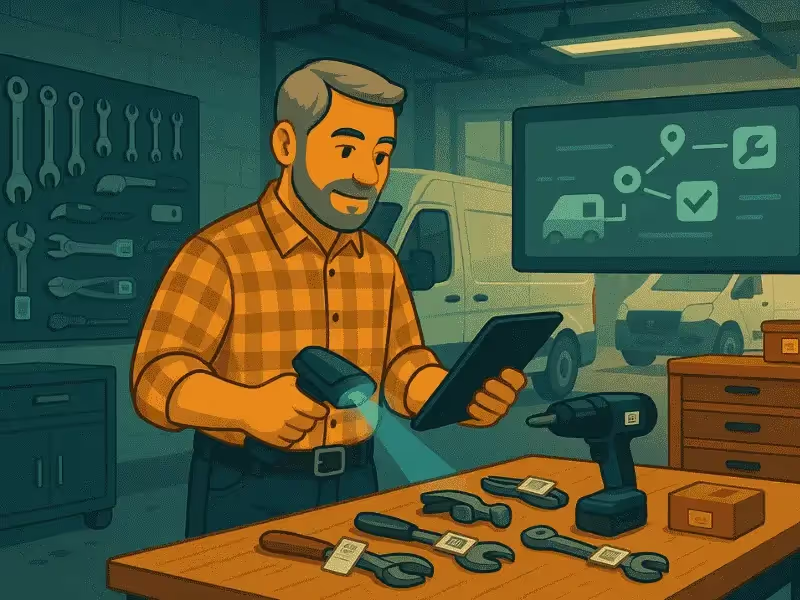
Tool tracking software is a digital platform used to identify, track, assign, and maintain tools and equipment throughout their lifecycle. Each tool is tagged (QR code, barcode, RFID, or GPS), allowing teams to update status in real time via mobile or desktop systems.
Unlike spreadsheets or manual logs, tool tracking software provides centralized visibility, automated alerts, and historical data, making it easier to control assets that move across vehicles, job sites, and teams.
How Companies Currently Track Tools (5 Common Methods)
Before adopting dedicated software, many organizations rely on outdated or fragmented systems. Here’s how tools are commonly tracked today and where each method falls short.
Memory and Informal Responsibility
Tools are “assigned” verbally or assumed to belong to a technician or vehicle. This works until someone leaves, tools go missing, or disputes arise.
Paper Logs or Registers
Check-in and check-out logs maintained at warehouses or depots. These are time-consuming, error-prone, and rarely updated accurately.
Spreadsheets
Excel or Google Sheets are widely used to list tools and assignments. However, spreadsheets lack real-time updates, accountability, and automation.
Vehicle-Based Storage
Tools are permanently stored in specific vehicles. This limits flexibility and fails when vehicles rotate routes or undergo maintenance.
Dedicated Tool Tracking Software
Modern systems automate tracking, accountability, and maintenance across locations and vehicles (without relying on memory or manual updates).
Core Features of Modern Tool Tracking Systems
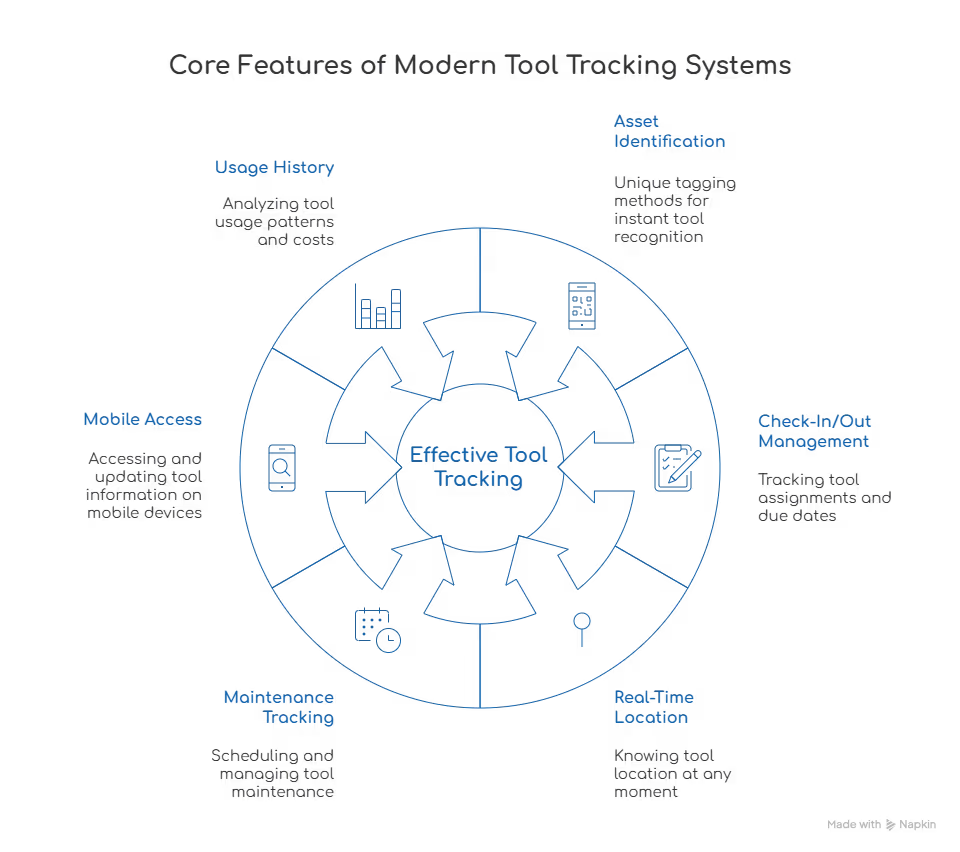
Effective tool tracking software goes beyond basic inventory lists. The best systems include the following core features:
- Asset Identification and Tagging: Each tool is uniquely tagged using QR codes, barcodes, RFID, or GPS, enabling instant identification and status updates.
- Check-In and Check-Out Management: Track which technician, driver, or crew has a tool, when it was assigned, and when it is due back.
- Real-Time Location Visibility: Know whether tools are in a warehouse, vehicle, job site, or with a specific employee.
- Maintenance and Calibration Tracking: Schedule inspections, servicing, and calibrations automatically to prevent breakdowns or compliance failures.
- Mobile Access: Field teams can scan tools, update usage, and report issues directly from mobile devices, even offline.
- Usage History and Reporting: View tool utilization, loss patterns, repair costs, and lifecycle data to make better purchasing decisions.
Key Benefits of Tool Tracking for Fleets and Field Teams
For fleet-centric operations, tool tracking delivers measurable operational and financial value.
Reduced Tool Loss and Theft
Knowing who is responsible for each tool dramatically reduces loss, theft, and unnecessary replacements.
Improved Accountability
Clear digital records eliminate disputes and encourage responsible tool usage among drivers and technicians.
Less Downtime
Technicians arrive with the right tools, vehicles are properly equipped, and jobs are completed faster.
Lower Operating Costs
Fewer lost tools, better maintenance planning, and optimized purchases lead to long-term cost savings.
Better Compliance and Safety
Maintenance logs and inspection histories support safety audits and regulatory compliance.
Increased Operational Efficiency
Managers spend less time searching for tools and more time optimizing workflows.
Comparison Table: Manual vs Spreadsheet vs Tool Tracking Software
Prevent costly breakdowns and maximize uptime with our free checklist.
Download
Behind this article
This article is brought to you by the Simply Fleet Team. The insights and recommendations you'll find here are not just theoretical; they are distilled from countless hours spent engaging with fleet professionals like you. Our team members actively collect knowledge from our customers, hundreds of discovery calls, and expert consultations. This ongoing dialogue is crucial for us to understand the struggles our users face, driving continuous improvement in our product and enabling us to share practical, experience-backed advice.
How to Decide If You’re Ready for Tool Tracking Software
Your fleet is likely ready for tool tracking software if:
- Tools frequently go missing or need replacement
- Crews waste time searching for equipment
- Maintenance schedules are inconsistent or reactive
- Tools move between vehicles, job sites, or teams
- You already use fleet or asset management software
If any of these sound familiar, digital tool tracking will quickly pay for itself.
Where Simply Fleet Fits In
Simply Fleet helps fleets manage vehicles, maintenance, inspections, and assets in one centralized platform. While vehicles may be the primary focus, tools are a critical extension of fleet operations.
Tools, vehicles, and maintenance should never be managed in silos. See how Simply Fleet helps fleets centralize asset visibility, maintenance, and operational control, without complexity.
Explore Simply Fleet today and simplify fleet operations from one platform.