

Why the Class 8 Pre-Buy Window is Closed and How to Pivot
Key Takeaways
- Fleet operations generate large volumes of receipts, invoices, and inventory records.
- Scanning technologies help digitize these documents quickly and accurately.
- Barcode scanning improves spare parts and asset tracking.
- Receipt scanning simplifies driver expense management.
- Invoice scanning automates vendor billing and finance workflows.
- Integrated fleet software ensures scanned data flows directly into operational and financial systems.
- Tools like Simply Fleet help fleets manage documents, assets, and expenses from a single platform.
Fleet operations generate an enormous amount of paperwork every day. From fuel receipts and maintenance invoices to spare parts inventory records, fleet teams constantly handle documents that must be tracked, verified, and stored.
Traditionally, much of this work has been done manually. Drivers collect receipts, workshop managers record parts usage in spreadsheets, and finance teams manually enter invoice details into accounting systems. This process is slow, prone to errors, and difficult to audit.
Scanning technologies (such as barcode scanning, receipt scanning, and invoice scanning) are transforming how modern fleets manage information. By digitizing documents and linking them directly to fleet systems, companies can reduce paperwork, improve accuracy, and gain real-time visibility into operations.
This practical guide explains how scanning works in fleet operations and how fleets can implement it effectively.
Why Scanning Matters in Fleet Management

Fleet companies operate across multiple locations and involve many stakeholders like drivers, mechanics, vendors, warehouse teams, and finance departments. Each of these stakeholders generates documents that must be recorded.
Without scanning and digitization, fleets face several common challenges.
Manual Data Entry Errors
Entering invoice numbers, amounts, and dates manually can easily lead to mistakes. Even small errors may cause reconciliation problems later.
Lost or Damaged Documents
Paper receipts and invoices are often misplaced, especially when drivers operate remotely.
Slow Financial Processes
Manual documentation delays approvals, reimbursements, and vendor payments.
Lack of Operational Visibility
If documents are stored in paper files or scattered spreadsheets, managers cannot easily track costs across vehicles or vendors.
Scanning solves these problems by converting physical documents into digital records that can be stored, searched, and analyzed.
Types of Scanning Used in Fleet Operations
Fleet scanning systems typically focus on three key areas: barcodes, receipts, and invoices.
Barcode Scanning for Fleet Assets and Inventory
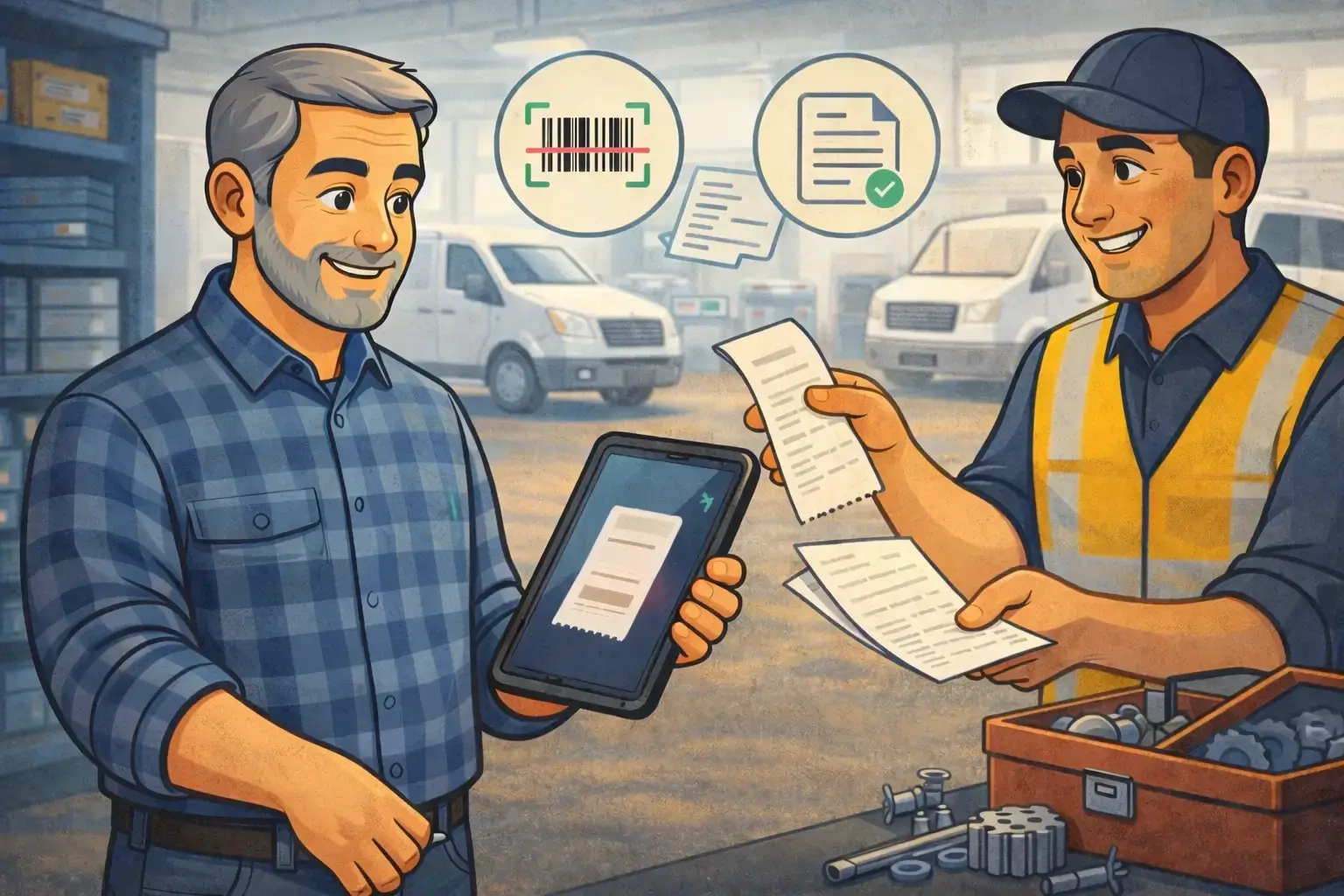
Barcode scanning is widely used in warehouses and maintenance workshops to track physical assets and spare parts.
Every item is assigned a barcode or QR code that contains a unique identifier. When scanned, the system automatically retrieves or records relevant data.
Common Fleet Applications of Barcode Scanning
- Spare parts inventory management
- Tool tracking in workshops
- Warehouse stock monitoring
- Asset tracking for equipment and components
Example Workflow
- A spare part arrives at the fleet warehouse.
- The warehouse team assigns a barcode to the item.
- The barcode is scanned when the part is stored.
- When the part is used for vehicle maintenance, it is scanned again.
- The system updates inventory and links the cost to the vehicle.
This process ensures accurate inventory records and prevents stock discrepancies.
Receipt Scanning for Driver Expenses
Drivers often incur operational expenses such as:
- Fuel purchases
- Toll payments
- Parking fees
- Minor maintenance
Traditionally, drivers submit paper receipts to the finance team at the end of the trip or month.
Receipt scanning simplifies this process.
How Receipt Scanning Works
Drivers can use a mobile app to capture a photo of the receipt immediately after the transaction. The system then extracts important information such as:
- Vendor name
- Transaction amount
- Date and time
- Category (fuel, parking, toll, etc.)
The receipt is stored digitally and linked to the driver or vehicle.
Benefits of Receipt Scanning
- Eliminates physical paperwork
- Speeds up expense reporting
- Reduces reimbursement delays
- Improves expense transparency
Managers can instantly see where money is being spent and identify unusual spending patterns.
Invoice Scanning for Vendor Management
Fleet companies typically work with multiple vendors, including:
- Maintenance workshops
- Spare parts suppliers
- Fuel providers
- Leasing companies
Each vendor generates invoices that must be verified and recorded.
Invoice scanning helps automate this process.
Invoice Scanning Workflow

- Vendor submits an invoice (paper or digital).
- The invoice is scanned or uploaded.
- The system extracts key information such as:
- Vendor name
- Invoice number
- Amount
- Service description
- The invoice is linked to a vehicle or service record.
- Finance teams review and approve payment.
This eliminates manual invoice entry and improves financial accuracy.
Download Our Free Fleet Management Resources Now!
Prevent costly breakdowns and maximize uptime with our free checklist.
Download
Key Scanning Use Cases in Fleet Operations
Scanning technologies are used across different fleet processes.
Maintenance and Repair Tracking
Vehicle repairs often involve multiple spare parts and vendor invoices.
Scanning ensures that:
- Parts usage is recorded accurately
- Inventory is updated automatically
- Service costs are linked to specific vehicles
Fleet managers can analyze maintenance costs over time and identify vehicles with higher operating expenses.
Spare Parts Inventory Management
Fleet warehouses store critical parts such as:
- Tires
- Filters
- Brake components
- Engine oil
Barcode scanning helps maintain accurate inventory records.
Advantages of Barcode-Based Inventory Tracking
- Prevents stock shortages
- Reduces overstocking
- Improves warehouse efficiency
- Enables faster spare part retrieval
Managers can quickly determine which parts are available and when they need to reorder inventory.
Fuel Expense Monitoring
Fuel is one of the largest expenses for any fleet.
Receipt scanning allows fleets to track:
- Fuel purchases per vehicle
- Fuel purchases per driver
- Total fuel spending across locations
This data helps fleet managers identify inefficiencies and detect potential misuse.
Scanning Technologies Used by Fleets
Several technologies support fleet scanning processes.
Mobile Camera Scanning
Smartphone cameras are widely used for scanning receipts, invoices, and QR codes.
Benefits include:
- No additional hardware required
- Easy adoption for drivers
- Instant document upload
Handheld Barcode Scanners
These scanners are commonly used in warehouses and maintenance facilities.
Advantages include:
- Faster scanning for bulk inventory
- High accuracy for barcode reading
- Rugged designs for industrial environments
OCR (Optical Character Recognition)
OCR technology extracts text from scanned documents.
This allows systems to automatically capture information from invoices and receipts instead of requiring manual entry.
Implementing Scanning in Fleet Operations
Fleets adopting scanning technology should follow a structured implementation approach.
Step 1: Identify High-Volume Documents
Start by digitizing documents that create the most administrative work, such as:
- Fuel receipts
- Vendor invoices
- Spare parts inventory records
Step 2: Assign Barcodes or QR Codes
Assets such as spare parts, tools, and equipment should be labeled with barcodes.
This ensures every item can be scanned and tracked easily.
Step 3: Integrate with Fleet Software
Scanning tools should connect directly with fleet management software so that data automatically updates operational records.
Step 4: Train Drivers and Staff
Drivers, mechanics, and warehouse staff must understand how and when to scan documents.
Training ensures consistent usage across the organization.
Best Practices for Fleet Scanning
Fleet companies should follow certain best practices when implementing scanning systems.
Standardize Document Processes
Encourage vendors and drivers to use consistent document formats to improve scanning accuracy.
Scan Documents Immediately
Receipts and invoices should be scanned at the time of the transaction to prevent loss.
Use Cloud Storage
Storing scanned documents in the cloud ensures secure access and prevents data loss.
Monitor Compliance
Fleet managers should ensure that drivers and staff consistently follow scanning procedures.
Simplify Fleet Document Management with Simply Fleet
Scanning technologies are no longer optional for modern fleets. As operations grow and data volumes increase, manual documentation becomes inefficient and risky.
Managing receipts, invoices, assets, and inventory across multiple vehicles can quickly become overwhelming.
Simply Fleet helps fleet operators digitize and manage their operations through a centralized platform. From tracking assets and spare parts to managing expenses and maintenance records, Simply Fleet makes fleet operations more organized and efficient.
Learn how Simply Fleet can help digitize your fleet operations and eliminate paperwork today.