
Preventive Maintenance Checklist for Excavators: What to Check and When
Key Takeaways
- Tool loss increases when tools move across multiple jobsites without a clear tracking process.
- Most construction companies lose tools due to visibility gaps, not theft.
- Effective tracking assigns tools to jobs, crews, and vehicles, not just people.
- Software automation replaces spreadsheets and verbal handoffs with real-time visibility.
- Fleet-connected tool tracking reduces re-purchases, search time, and operational delays.
Construction companies rarely lose money because they lack tools. They lose money because they cannot see where those tools are.
As projects multiply and crews move between sites, tools begin to drift, loaded into the wrong truck, left behind after shift changes, or quietly repurchased because “no one knows where the original is.” Over time, this creates unnecessary costs, delays, and frustration for project managers and site supervisors.
Tracking tools across multiple jobsites is not about installing expensive hardware everywhere. It is about building a repeatable system that connects tools, crews, vehicles, and jobs into one operational workflow.
This guide explains how construction companies actually track tools across multiple jobsites, where traditional methods fail, and how software-driven processes bring clarity and control.
Why Tool Loss Explodes With Multiple Jobsites
Tool loss rarely happens on a single, controlled site. It explodes when tools begin moving.
In multi-jobsite operations, tools constantly shift between:
- Central yards
- Active jobsites
- Crew vehicles
- Temporary storage areas
- Subcontractor handoffs
Every handoff is a risk point.
Common reasons tool loss increases across jobsites:
- No single owner for tool accountability
- Tools assigned verbally instead of digitally
- Crews sharing tools across projects without records
- Vehicles acting as untracked storage units
- Emergency re-purchases due to time pressure
Most losses are not theft. They are visibility failures. If managers cannot answer “Where is this tool right now?” within seconds, the system is broken.
How Contractors Currently Track Tools (and Where It Breaks)

Many construction companies believe they have a tool tracking system. In reality, they have fragments.
Spreadsheets and Paper Logs
Tools are listed in Excel or notebooks, updated inconsistently. Once tools leave the yard, updates stop.
Breaks when: crews rotate, sites change, or supervisors forget to log movements.
Verbal Responsibility
Foremen “know” which crew has which tools.
Breaks when: foremen change, crews split, or disputes arise.
Vehicle-Based Storage
Tools live in trucks or vans without formal tracking.
Breaks when: vehicles are reassigned or tools are borrowed.
End-of-Project Reconciliation
Inventory happens only after job completion.
Breaks because: losses already happened and budgets are already hit.
These methods rely on memory, not systems. They cannot scale across multiple sites.
A Simple Framework for Multi-Jobsite Tool Tracking

Effective tool tracking does not start with technology. It starts with structure.
A reliable framework answers four questions:
- What tool is this?
- Who is responsible for it?
- Where is it right now?
- What job is it assigned to?
The Core Tracking Flow
Yard → Jobsite → Crew → Vehicle → Return
Every tool movement must follow this logic. If a movement does not fit into the flow, it must be logged explicitly.
Key Principles
- Tools are assigned, not “taken”
- Every tool has a current owner (crew or job)
- Vehicles are treated as tracked locations
- Returns are mandatory, not optional
Once this structure exists, automation becomes meaningful.
Example: Assigning Tools to Jobs, Crews, and Vehicles
Let’s walk through a real-world scenario.
Step 1: Tool Is Checked Out From the Yard
A generator is assigned digitally to Jobsite A for two weeks.
Record includes:
- Tool ID
- Assigned job
- Expected return date
- Responsible crew
Step 2: Tool Moves With a Crew
The electrical crew transports the generator in Vehicle 12.
The system now reflects:
- Tool → Jobsite A
- Tool → Vehicle 12
- Tool → Electrical crew
Step 3: Temporary Jobsite Transfer
Mid-week, the generator is needed at Jobsite B.
Instead of verbal approval, the transfer is logged:
- Jobsite A → Jobsite B
- Reason: emergency backup
- Updated expected return
Step 4: Tool Returns to Yard
After completion, the generator is checked back in.
The system records:
- Total usage duration
- Job cost allocation
- Maintenance due date
This visibility prevents duplicate purchases and supports accurate job costing.
Using Software to Automate Jobsite Tool Tracking
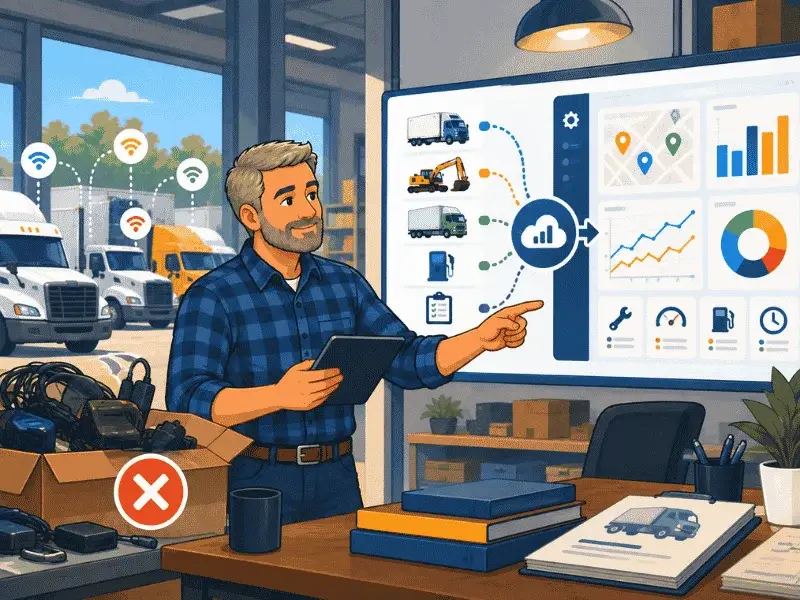
Manual discipline alone is not enough at scale. Software ties everything together.
What Tool Tracking Software Should Do
Effective systems:
- Centralize all tools in one dashboard
- Allow job-based and crew-based assignments
- Track tool movement via vehicles
- Support mobile updates from the field
- Create usage and loss reports automatically
When tool tracking connects with fleet data, accuracy improves dramatically.
Why Fleet Data Matters
Vehicles are the missing link in tool tracking.
Most tools move because vehicles move. When tools are digitally linked to vehicles:
- Misplaced tools become traceable
- Site transfers are visible
- Responsibility becomes clear
This is where fleet management platforms provide a structural advantage.
Prevent costly breakdowns and maximize uptime with our free checklist.
Download
Behind this article
This article is brought to you by the Simply Fleet Team. The insights and recommendations you'll find here are not just theoretical; they are distilled from countless hours spent engaging with fleet professionals like you. Our team members actively collect knowledge from our customers, hundreds of discovery calls, and expert consultations. This ongoing dialogue is crucial for us to understand the struggles our users face, driving continuous improvement in our product and enabling us to share practical, experience-backed advice.
Metrics to Watch (and Why They Matter)
Tracking tools without measuring outcomes limits value. The following metrics reveal system health.
Multi-Jobsite Tool Tracking Checklist
How Simply Fleet Supports Multi-Jobsite Operations
Simply Fleet helps construction companies connect tools, vehicles, and jobs into one operational view.
Instead of treating tools as static inventory, Simply Fleet treats them as mobile operational assets (just like vehicles). Managing tools across multiple jobsites does not have to mean constant losses and re-purchases.
See how Simply Fleet helps construction teams track tools through vehicles, jobs, and crews (without complexity). Explore Simply Fleet for construction operations.