

How to Identify High-Cost Fleet Vehicles Across Multiple Locations
Key Takeaways
- Tools go missing mainly due to poor visibility and unclear ownership, not negligence.
- Paper logs and spreadsheets work only at a small scale and break down as tool movement increases.
- A simple process (inventory, assignment, movement rules, and audits) solves most tracking issues.
- Growing, fleet-based teams need software to track tools alongside vehicles and users.
- Simply Fleet helps reduce losses by connecting tools, vehicles, and maintenance in one system, request a demo to see how it works.
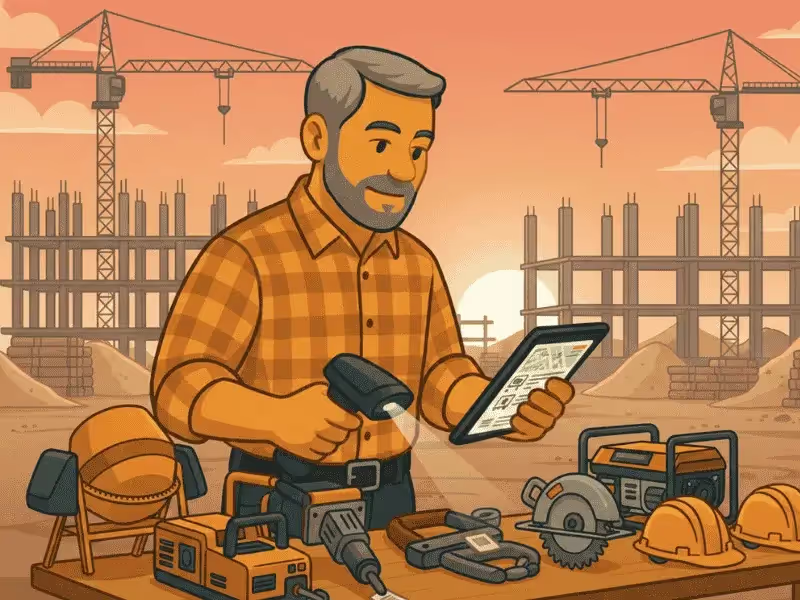
Tools and equipment are the backbone of day-to-day operations in construction, field services, facilities management, and light manufacturing. Yet, for many businesses, keeping track of them feels chaotic. Tools move from warehouse to vehicle, from vehicle to job site, and from one technician to another, often without any clear record.
The result is familiar: time wasted searching, duplicate purchases, delayed jobs, and growing frustration across teams.
This guide is designed as a buyer-focused, practical resource. It explains how to keep track of tools and equipment, compares common tracking methods, and helps decision-makers understand when spreadsheets and labels are no longer enough and when it makes sense to move to a proper tool tracking system.
Why Tools and Equipment Go Missing (Even in Good Companies)
Tools rarely go missing because teams do not care. In most cases, loss happens because systems fail to match real-world operations.
Common reasons include:
- Tools are shared across multiple jobs, crews, and vehicles
- Vehicles act as mobile storage with no consistent tracking
- There is no clear ownership once a tool leaves the store
- Updates rely on memory or verbal handovers
- Documentation feels like extra work during busy schedules
Over time, these gaps lead to hidden costs. Businesses spend more on replacements, jobs slow down due to missing equipment, and accountability becomes unclear. The stress comes not from the tools themselves, but from the lack of visibility around them.
Five Common Ways Companies Track Tools and Equipment
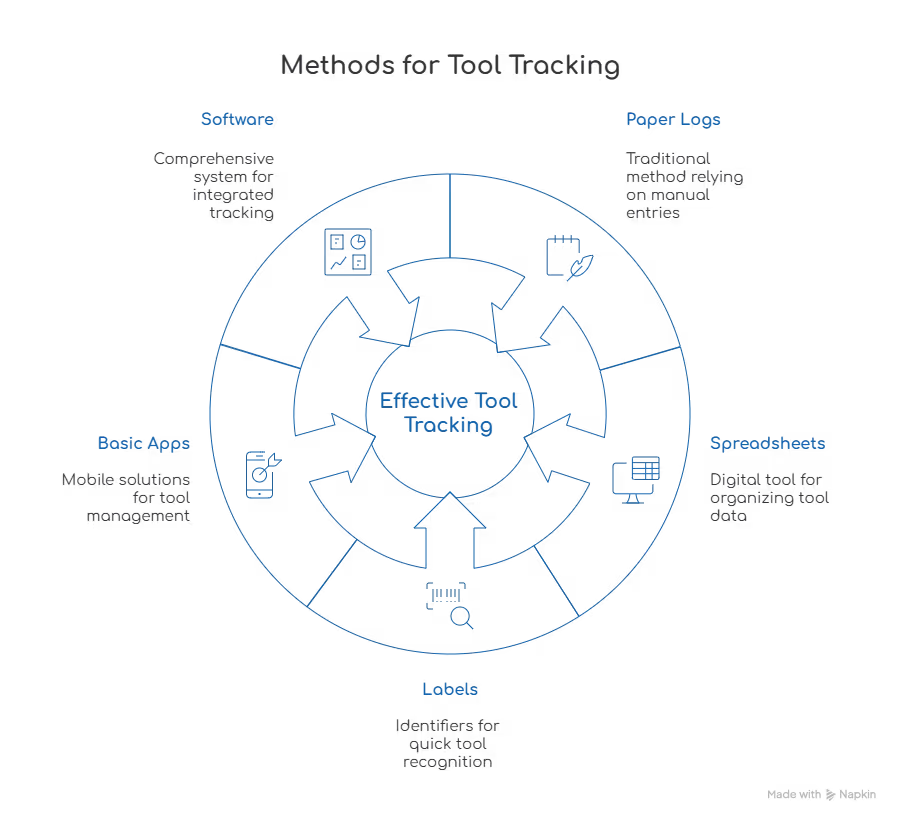
Most organizations follow a similar journey when trying to keep track of company tools. Understanding each method helps clarify what works at different stages of growth.
Paper Logs and Manual Registers
Paper logs are often the starting point.
Tools are written in and out of a notebook or register, usually kept in a store or office. While this approach feels simple, it depends heavily on people remembering to update it. Once teams get busy, logs are skipped, handwriting becomes unclear, and records are quickly outdated.
This method offers minimal visibility and works only in very small, low-movement environments.
Spreadsheets (Excel or Google Sheets)
Spreadsheets are a step up from paper.
They allow companies to list tools, locations, assigned users, and return dates in one place. However, spreadsheets still rely on manual updates. Field teams rarely update them in real time, versions conflict, and data accuracy drops as operations grow.
Spreadsheets are useful early on, but they struggle to scale when tools move frequently.
Labels, Barcodes, or QR Codes
Labeling tools adds structure.
Each tool is tagged with a barcode or QR code that links to a record. This reduces confusion between similar tools and speeds up identification. However, labels alone do not solve tracking problems. Without a connected process or system, teams still forget to log movements.
Labels are most effective when paired with a clear workflow.
Basic Tool Tracking Apps
Standalone apps designed for tool tracking offer mobile access and better usability for field teams.
They often include check-in and check-out features, photos, and basic history. While helpful, many of these apps operate in isolation. They do not connect tools to vehicles, maintenance schedules, or broader operational data.
This limits their usefulness for fleet-heavy businesses.
Full Tool and Equipment Tracking Software
At scale, companies move to dedicated software.
Here, tools are tracked alongside users, locations, vehicles, and maintenance data. Visibility improves significantly because tools are no longer treated as static inventory, they are part of daily operations.
This approach works best for construction, field services, and facilities teams managing multiple vehicles and sites.
Pros And Cons Of Each Tool Tracking Method
As operations grow, manual systems become a bottleneck rather than a solution.
A Simple Tool Tracking Process You Can Start Today
Before choosing software, it is important to fix the underlying process. A strong process improves results regardless of the tool used.
Step 1: Build A Complete Tool Inventory
Create one master list of every tool and piece of equipment. Include:
- Tool name and category
- Serial number or internal ID
- Current location (vehicle, site, or store)
- Assigned person or team
This becomes the single source of truth.
Step 2: Assign Responsibility Clearly
Every tool must be linked to something:
- A technician
- A vehicle
- Or a location
Unassigned tools are the most likely to disappear. Clear responsibility reduces confusion and improves care.
Step 3: Standardize Tool Movement Rules
Decide what must happen when a tool moves. For example:
- When taken → it is assigned
- When returned → it is logged back
Consistency matters more than complexity. The goal is to make tracking part of normal work, not an extra task.
Step 4: Audit Tools On A Fixed Schedule
Regular audits prevent small issues from becoming major losses. High-value or frequently used tools should be checked weekly, while others can be reviewed monthly.
When DIY Tool Tracking Methods Stop Working
DIY systems fail at predictable points. It may be time to move on when:
- Tools are spread across multiple vehicles and job sites
- Teams cannot say who last used a tool
- Replacement purchases are increasing
- Audits take too long or feel unreliable
- Spreadsheets are no longer trusted
At this stage, tool tracking becomes an operational priority rather than an administrative task.
Prevent costly breakdowns and maximize uptime with our free checklist.
Download
Buyer’s Checklist: What To Look For In Tool Tracking Software
Choosing the right system requires more than feature lists. Use this checklist to evaluate fit.
Core Capabilities To Evaluate
- Centralized tool and equipment inventory
- Assignment to users and vehicles
- Check-in and check-out history
- Condition, inspection, and maintenance tracking
- Mobile access for field teams
Operational Fit For Field And Fleet Teams
- Easy to use for technicians
- Works alongside vehicle data
- Supports multiple sites and growth
Reporting, Control, And Accountability
- Clear usage history
- Visibility into loss and downtime
- Audit-ready records
Software should reduce friction, not add another disconnected system.
How Simply Fleet Fits Tool And Equipment Tracking Into Real Operations
For many businesses, tools do not sit in warehouses, they live in vehicles.
This is where Simply Fleet brings a practical advantage. Instead of tracking tools separately, Simply Fleet connects tools and equipment to vehicles, users, and maintenance workflows.
This approach reflects how work actually happens in construction, field services, and facilities management.
Key benefits include:
- Visibility into which tools are assigned to which vehicles
- Better planning for maintenance and inspections
- Reduced losses through clearer accountability
- One centralized system instead of multiple disconnected tools
For organizations already managing fleets, integrating tools into the same environment improves adoption and accuracy.
Final Takeaway: Keep Control Without The Chaos
Keeping track of tools and equipment does not need to feel overwhelming. The right process and system provide clarity instead of stress. When tools move with vehicles and people, tracking them in isolation creates blind spots.
A connected approach helps teams spend less time searching and more time getting work done.
If your tools move with your fleet, it makes sense to manage them together. Request a demo of Simply Fleet to see how tool and equipment tracking can fit seamlessly into real-world operations.