


How to Build a Fleet Maintenance Governance Model Across Multiple Locations
Key Takeaways
- Tool-only apps work for basic tracking but fail when tools, vehicles, and maintenance intersect
- Disconnected systems lead to reactive maintenance, higher costs, and poor visibility
- A full fleet platform connects tools, vehicles, inspections, and maintenance in one system
- Simply Fleet provides preventive maintenance, cost intelligence, and compliance workflows
- Upgrade when operational complexity grows beyond simple tool tracking
Most fleet and maintenance teams begin their digital journey with a simple goal: stop losing tools.
A basic tool tracking or inventory app is usually the first solution. It replaces spreadsheets, adds accountability, and gives teams confidence that assets are no longer disappearing unnoticed.
For a while, that works.
But as fleets grow, jobs become more complex, and maintenance costs rise, teams realize something important: tools are only one part of the operational picture. Tools move inside vehicles. Vehicles require maintenance. Maintenance affects uptime. Uptime affects revenue and service delivery.
This is where many teams reach a turning point.
This guide is written for fleet, asset, and maintenance managers who have already used a tool-only or inventory app and are now evaluating whether they need something more comprehensive. It will help you understand the limits of tool-only software, recognize when you have outgrown it, and evaluate what a full fleet and asset platform like Simply Fleet offers instead.
The Real Limits of Basic Tool Tracking and Inventory Apps
Tool-only apps are not flawed products. They are purpose-built for a narrow problem. The challenge arises when operations expand beyond that scope.
Tools Are Tracked, but Operations Are Not
Most tool tracking apps answer a single question very well: Who has this tool right now?
What they do not capture is the operational context:
- Which vehicle the tool is assigned to
- Whether that vehicle is available or down for service
- Whether tool unavailability delayed a job
- How frequently a tool fails compared to how often it is used
In real-world operations, tools do not function independently. They are part of a larger system that includes vehicles, crews, job schedules, and maintenance cycles.
Maintenance Is Reactive, Not Strategic
Inventory apps often treat maintenance as a note or a reminder rather than a structured process. At best, teams may get a service date field or a basic alert.
What is missing is:
- Preventive maintenance logic
- Service schedules tied to usage or mileage
- Downtime tracking
- Historical repair patterns
As a result, assets are repaired after failure instead of being maintained to prevent it. This leads to unplanned downtime and emergency repairs during active jobs.
Costs Remain Fragmented and Unclear
One of the biggest gaps in tool-only software is financial visibility.
These systems do not show:
- Total cost of ownership for vehicles
- Repair and maintenance costs per tool
- Whether certain assets should be replaced instead of repaired
- How asset costs impact departmental or project budgets
Without a consolidated cost view, decisions are made reactively instead of strategically.
Compliance and Inspections Live Outside the System
For construction companies, utilities, logistics providers, municipalities, and school fleets, inspections and compliance are mandatory.
Tool-only apps do not handle:
- Vehicle inspection workflows
- Safety and compliance checklists
- Audit-ready records
Teams are forced to manage inspections through paper forms, PDFs, or separate apps, increasing both administrative effort and compliance risk.
Software Sprawl Becomes the Hidden Cost
As limitations appear, teams add more tools:
- One app for tools
- Another for vehicles
- Spreadsheets for costs
- Paper or shared folders for inspections
Each system seems affordable on its own, but together they create data silos, duplicate work, and reporting gaps.
Clear Signs You’ve Outgrown Tool-Only Software
If your organization is experiencing several of the following, a tool-only app is no longer enough.
Operational Signals
- Tools are tracked, but vehicles are managed separately
- Vehicle breakdowns disrupt jobs due to unplanned maintenance
- Tools are lost when vehicles or crews change
- Managers export data frequently just to understand asset status
Financial Signals
- No single view of total asset or fleet cost
- Repair expenses feel unpredictable
- Budgeting is reactive instead of data-driven
Growth and Compliance Signals
- Fleet size is increasing
- Compliance requirements are becoming stricter
- Leadership demands clearer reporting
Outgrowing a tool app is not a failure. It is a sign that operations have matured.
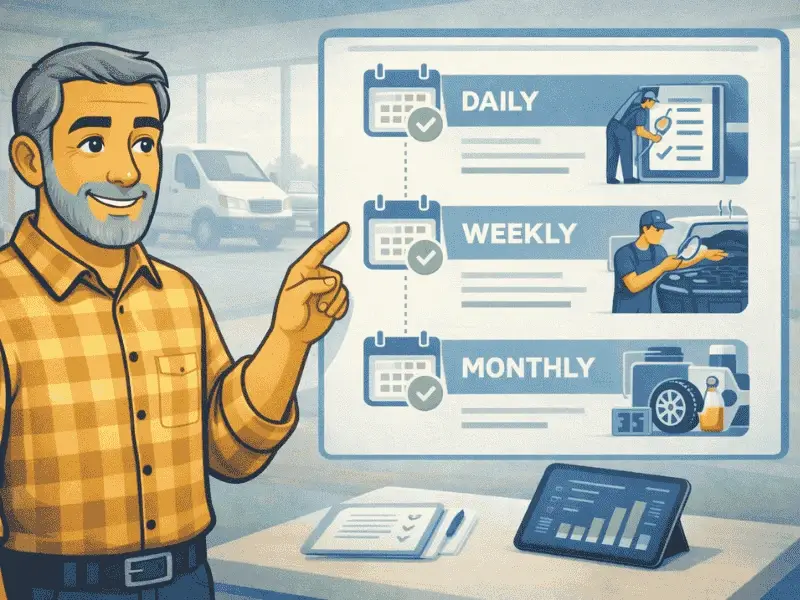
Prevent costly breakdowns and maximize uptime with our free checklist.
Download
What You Gain With a Full Fleet and Asset Platform
A full platform does not replace tool tracking. It connects tool tracking to the rest of your operation.
One System of Record for All Assets
Instead of managing tools, vehicles, equipment, maintenance, and inspections in separate places, everything exists in a single system. This creates consistency, accuracy, and visibility across teams.
Preventive Maintenance That Reduces Downtime
Maintenance becomes structured and proactive:
- Scheduled by time, mileage, or usage
- Logged with complete service history
- Linked to downtime and cost
This shift alone can significantly reduce unexpected failures and job delays.
True Cost Intelligence
A fleet and asset platform provides insight into:
- Cost per vehicle
- Cost per tool or equipment
- Maintenance versus replacement decisions
- Long-term budgeting and forecasting
These insights help managers justify decisions with data instead of assumptions.
Built-In Inspections and Compliance Workflows
Inspections become part of daily operations rather than a last-minute task:
- Digital inspection checklists
- Centralized records
- Audit-ready documentation
This is especially critical for regulated and public-sector fleets.
Tools, Vehicles, and Equipment in One Operational System
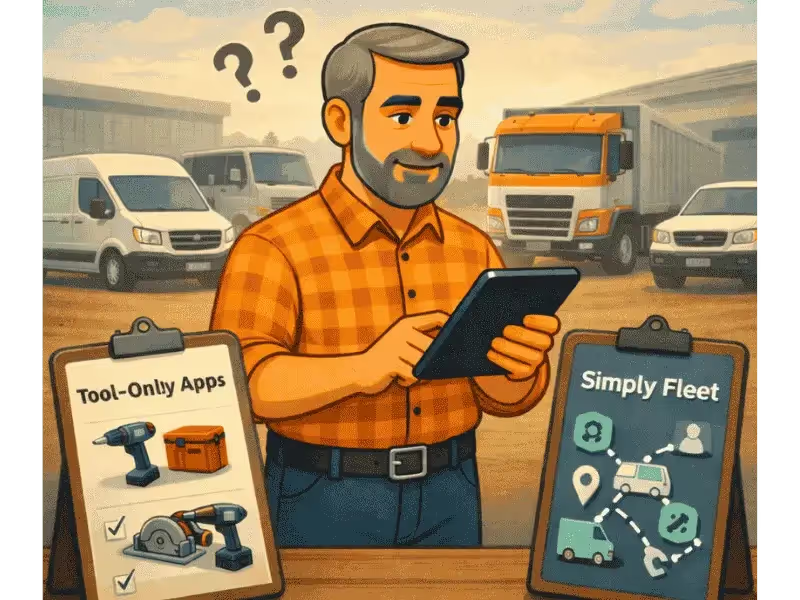
This is where the difference between a tool-only app and a full platform becomes obvious.
Tool-only apps manage items. Simply Fleet manages operations.
Buyer’s Checklist: How to Choose the Right Upgrade
Before requesting demos, evaluate platforms using this checklist.
Operational Fit
- Can tools, vehicles, and equipment be linked?
- Can assets be reassigned easily across teams and locations?
Maintenance Depth
- Preventive scheduling logic
- Downtime and service history tracking
- Repair-versus-replacement analysis
Financial Visibility
- Asset-level cost tracking
- Fleet-wide reporting
- Data exports for leadership and finance teams
Adoption and Scalability
- Mobile access for field teams
- Simple onboarding process
- Ability to scale without adding more systems
How to Migrate From a Basic Tool App to Simply Fleet
Migrating from a basic tool or inventory app to Simply Fleet does not have to be disruptive. When done in a structured way, most teams are able to transition smoothly while continuing day-to-day operations. The key is to approach migration as an operational upgrade, not just a software switch.
Step 1: Audit Your Assets
Start by creating a clear and accurate inventory of everything you manage today. This includes tools, vehicles, and any other equipment, along with existing maintenance records, inspection practices, and reporting gaps. This audit helps identify what is currently tracked, what is missing, and what needs improvement. It also ensures that no critical asset data is lost during migration.
Step 2: Import Existing Data
Begin the migration by importing tool data from your current app. Once tools are in place, add vehicles, service histories, maintenance schedules, and inspection records. Migrating in phases keeps the process manageable and allows teams to validate data accuracy before moving forward.
Step 3: Configure Workflows
Set up preventive maintenance schedules, inspection templates, and asset assignments based on how your operation actually works. This is where Simply Fleet begins to add value beyond tool tracking by connecting tools, vehicles, and maintenance into a single workflow.
Step 4: Train Teams on Real Workflows
Training should focus on daily tasks such as inspections, service logging, and asset assignment, not just features. This helps teams adopt the system faster and with less resistance.
Step 5: Measure Early Results
Track early improvements such as reduced downtime, fewer missed maintenance tasks, and lower administrative effort. These quick wins confirm the value of upgrading and help drive long-term adoption.
Final Decision Framework
If your operation involves:
- Vehicles
- Tools
- Equipment
- Maintenance
- Compliance
Managing them separately is already costing time, money, and visibility.
Tool-only apps solve yesterday’s problem. Full fleet and asset platforms solve today’s operational reality.
Request a Demo of Simply Fleet. See how tools, vehicles, maintenance, inspections, and costs come together in one system and decide if it’s time to move beyond basic tool tracking.