




Preventive Maintenance Checklist for Excavators: What to Check and When
Key Takeaways
- Record labor as tracked time on the work order: lead technician, assistant technicians, asset, service task, start and stop, pause.
- Track each purchase of a part as its own batch, with vendor, cost/unit, quantity, warehouse, store room, and rack number.
- Consume parts on the work order so the batch's available quantity decrements automatically.
- Set a hard rule: no work order closes without labor time, parts used, and a completion date.
- Track tools and small equipment separately from vehicles, on their own meter (usually hours).
- Review labor hours by asset class, parts usage by batch, and repeat repairs by asset.
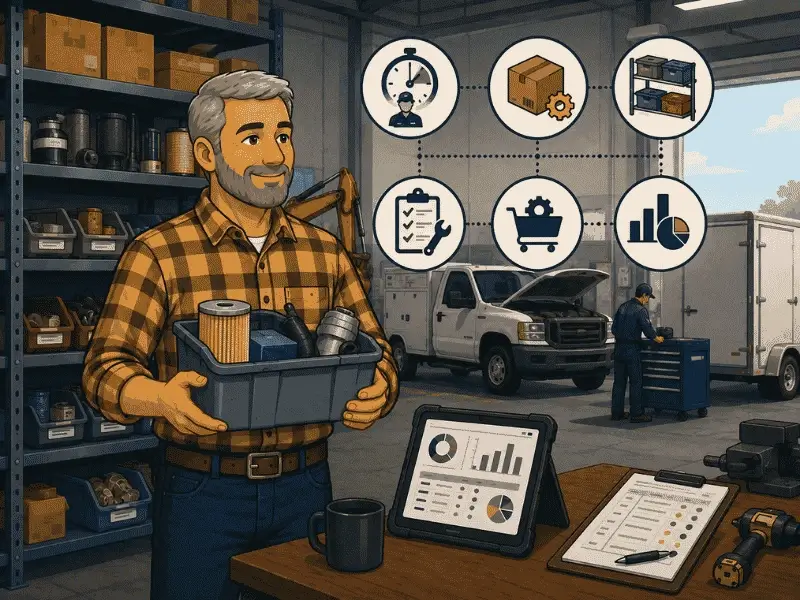
A technician spends the morning on an excavator's hydraulic line, an hour after that on a pickup's brakes, and the rest of the afternoon rebuilding a trailer's light harness. Three asset classes, one technician, one parts shelf. By Friday the shop knows the work got done. Ask how many hours went into the excavator, which filter came off the rack for the pickup, or how many of those filters are left, and the answers come from memory or a guess.
That gap is normal in mixed fleets, and it survives even in shops with a work order system, because the work order records that a repair happened without recording what it consumed. Labor and parts are the two things that turn a repair record into a cost record, and they are the two things most often filled in last, or not at all.
Track technician labor as time recorded against a specific work order and asset, with the technician named on the job. Track parts at the batch level, so each purchase carries its own vendor, cost per unit, quantity, and storage location. Consume the parts on the work order itself so the batch's stock decrements as the job progresses. When labor and parts are both attached before the work order closes, that data writes into the asset's service history, which is what makes hours per asset, stock on hand, and cost per repair real numbers instead of estimates.
Why mixed fleets make this harder
A single-class fleet can get away with loose tracking because everything on the shelf fits everything in the yard. Mixed fleets lose that.
The same technician moves between an excavator on engine hours, a pickup on mileage, and a trailer that runs on an inspection schedule. Their hours land against assets measured three different ways, so "labor this month" tells you nothing until it's split by asset. The parts shelf has the same problem in reverse: an excavator hydraulic filter and a pickup oil filter sit two racks apart, both get pulled by the same person on the same afternoon, and the only thing separating them in the record is whether someone logged which job took which part.
Small tools make it worse. A torque wrench or a generator moves between technicians and job sites without a VIN, an odometer, or a service schedule, so it falls out of the vehicle system entirely and lives on a whiteboard until it goes missing.
What tracking labor actually means
"Track labor" is vague until you name the fields. These are the minimums for a mixed fleet.
The pause field is the one that shops skip and then miss. A technician who starts a job, waits four hours for a part, and finishes in twenty minutes has logged forty minutes of labor and four hours of downtime. Without a pause, that reads as a four-hour-forty-minute repair, and the asset looks expensive to maintain when the real problem is parts availability. If work orders are sitting open in your shop and nobody can say why, work order backlog, SLAs, and status boards cover where that time actually goes.
What tracking inventory actually means
The distinction that matters here is between a part and a batch, and it's the one most shops get wrong.
A part is the catalog item: "Oil Filter 5.7L." A batch is one specific purchase of that part. Buy the same filter three times across a year from two vendors at three prices, and you have one part and three batches. Each batch carries its own vendor, quantity, cost per unit, and storage location.
Download Our Free Fleet Maintenance Resources Now!
Prevent costly breakdowns and maximize uptime with our free checklist.
Download
Here's the rule that follows: when the same part is purchased again, add a batch to the existing part record. Do not create a second part record. Two records for one filter is how a shop ends up with a stock count that says four when the rack holds nine and a cost per repair calculated on last year's price.
Batch-level tracking is also what makes costs honest across a mixed fleet. If the excavator's filter came from a batch bought at $34 and the pickup's came from a batch at $19, a blended average charge would be wrong for both jobs. For the wider version of this problem, see our guide to parts inventory for fleets.
The workflow
Labor and parts stay accurate when they're captured during the job. Reconstructed afterward, they drift. That means the work order has to be placed at the place the technician is already working.
Issue reported → Work order created → Technician assigned and accepts → Timer runs → Parts consumed against the task → Labor and parts recorded → Work order closed → Service history → Reports
The rule worth enforcing: a work order cannot close without labor time, parts used, and a completion date. Without it, a technician clears the board on a busy Friday and the asset's history shows a repair with no hours and no parts, which is worse than no record since it looks complete. That closed-but-empty work order is what makes service history unreliable a year later when you need it. Our service history and repair records guide covers what a usable record has to hold.
Tools and small equipment
Vehicles have a VIN and an odometer. A generator, a pallet jack, or a plate compactor has none, so it needs its own structure: equipment name, type, make, model, a primary meter (usually hours), and an assigned operator.
The tracking question for tools is different from vehicles. For a truck, you ask when it was last serviced. For a torque wrench, you ask who has it. Assignment is the field that matters, and equipment that isn't assigned to someone is equipment nobody is accountable for. How to keep track of tools and equipment goes further into this.
What to track
That last one is the audit measure, and it's the one that tells you whether the rest of the numbers can be trusted. If a fifth of your work orders close empty, every cost figure downstream is soft.
Common mistakes
Recording labor from memory at the end of the day. Hours reconstructed on a Friday afternoon are estimates. A timer that runs during the job gives you a measurement.
Creating a new part record for each purchase. Same part, new purchase, and add a batch. A second part record splits the stock count and corrupts both.
Leaving the pause unused. Parts waiting to be recorded as labor makes the repair look expensive and hides the stockout that caused it. If parts delays are a recurring theme, how to stop parts stockouts is the deeper read.
Tracking tools like vehicles. A generator on a mileage schedule gets no maintenance at all. Equipment runs on hours and needs an assigned owner.
Typing part numbers by hand. A transposed digit on a part number produces a phantom part and a stock count nobody trusts. Scanning removes the keystroke.
Closing work orders is empty. Covered above, and worth repeating, because it is the single habit that makes cost per repair unusable.
How Simply Fleet handles labor and inventory
Digital work order software in Simply Fleet carries a lead technician plus assistant technicians for shared jobs. When the technician accepts the work order, a timer starts automatically, and they can pause and resume as the job waits on parts or a vendor. Before closing, they add services performed, parts consumed, labor time, attachments, and notes. Closing the work order records the completed work in the Service Log automatically, so the asset's history builds itself as jobs finish, with no separate data-entry pass. Technicians cannot create work orders by default; that's a per-user toggle in their profile.
Parts run on the part-and-batch structure described above. Each batch gets an auto-generated Batch ID and holds its own vendor, warehouse location, storeroom, rack number, quantity, and cost per unit. Selecting a part on a work order task shows the part name, part number, Batch ID, warehouse, quantity, and cost per unit, so the technician is choosing from a specific batch, and the quantity consumed decrements that batch's stock. On mobile, barcode scanning fills the part number and UPC automatically, both when adding a part and when selecting one on a job.
For the tools side, small equipment is tracked as its own asset type with a primary meter defaulting to hours, grouped by team, location, or department, and assigned to the operators who carry it.
Two practical notes on scope. Parts inventory is on the Advanced plan, and small equipment is a $0.50 per equipment per month add-on, so budget for both if the shop side matters to you. And labor is tracked as time on the job, so it gives you hours per asset and per technician directly; if you need labor cost, that comes from applying your own rates to those hours or entering it in the work order's invoice details.
Tools sit in the tool tracking system, and the whole setup is built for larger fleets running vehicles, equipment, and tools out of one shop.