




Why Mixed Fleets are Ditching the Hardware for Unified Data
Key Takeaways
- Connect Geotab with Simply Fleet to automate mileage and engine-hour tracking for DOT compliance.
- Replace paper DVIRs with digital inspections that include photos, signatures, and timestamps.
- Keep maintenance records, inspections, and service history organized by vehicle for faster audit preparation.
- Standardize inspection workflows across trucks, trailers, and heavy equipment.
- Reduce audit preparation time with searchable digital compliance records.
Construction fleets automate DOT audit prep by connecting their Geotab data to a maintenance and inspection platform like Simply Fleet. Geotab supplies mileage, engine hours, and vehicle location. Simply Fleet turns that data into digital DVIRs, service records, and issue histories that stay organized by vehicle, so a DOT audit becomes a matter of pulling a report instead of digging through paper files.
For construction operations running mixed fleets of trucks, trailers, and heavy equipment, DOT audit season tends to expose the same gap every time. The mileage log lives in one spreadsheet, the inspection forms live in a filing cabinet at the jobsite trailer, and nobody can say for certain when a specific dump truck last had a documented pre-trip check. None of this makes a fleet non-compliant on purpose. It just makes compliance hard to prove.
Using construction fleet management software helps centralize maintenance records, inspections, work orders, and telematics data in one system, making DOT audit preparation faster, more accurate, and easier to manage across every asset.
Why Construction Fleets Struggle with DOT Audits Specifically
Construction fleets run different from long-haul trucking fleets, and that difference shows up during an audit. Vehicles split time between the yard and remote jobsites with spotty connectivity. One in-house mechanic often handles maintenance for 20 to 100 assets that mix licensed trucks with off-road equipment. As one construction fleet contact put it: "We have one in-house mechanic. I want to know when he’s working on something, when it’s done, and when it can go back out." That’s an operational question, but it’s also a compliance one. If nobody can say when a truck was last inspected, nobody can prove it during an audit.
Underground and paving contractors describe the same pattern from a different angle: state law requirements like smog checks and preventive maintenance schedules stack on top of federal DOT expectations, and tracking both in a spreadsheet gets unmanageable once the fleet passes a few dozen vehicles.
What Automation Actually Means Here
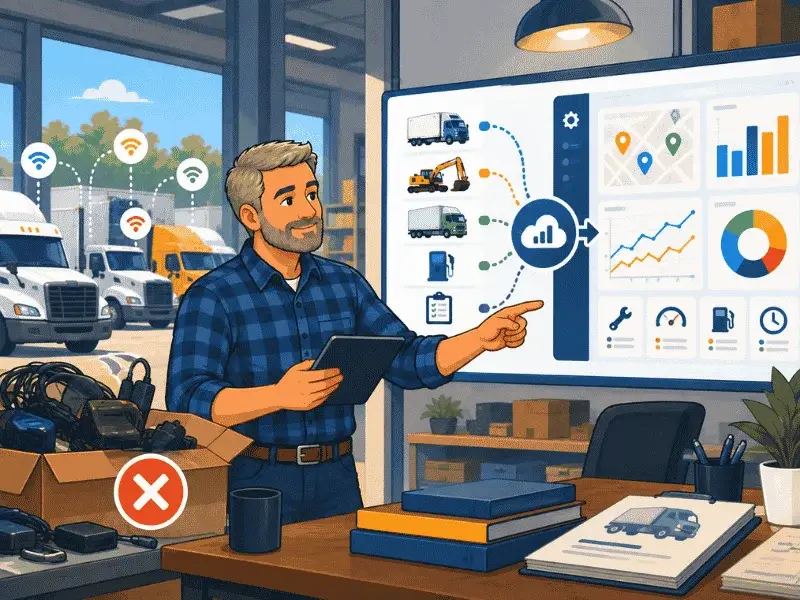
Automating a DOT audit trail is not about a single dashboard. It’s about connecting three things that normally live apart:
Telematics data from Geotab. Mileage, engine hours, and vehicle location sync automatically instead of relying on a driver’s memory or a paper log.
Digital inspections. Drivers complete pre-trip and post-trip checks on mobile, with photos and signatures attached to each submission. A failed item creates an issue automatically instead of sitting on a clipboard until someone remembers to mention it.
Work orders tied to the original defect. When an inspection flags a problem, it should be traceable straight through to the work order that fixed it, not scattered across a phone call and a separate repair invoice.
Simply Fleet connects to Geotab so mileage and vehicle status flow in automatically, then layers DVIR-style digital inspections and issue tracking on top. The result is a service history per vehicle that an auditor, or a fleet manager preparing for one, can actually pull up.
Download Our Free Fleet Automation Readiness Checklist Now!
Prevent costly breakdowns and maximize uptime with our free checklist.
Download
Setting It Up
1. Connect your Geotab account inside Simply Fleet so mileage and status sync automatically.
2. Build a digital inspection form matched to your fleet mix. Trucks, cranes, and vac trucks need different checklists.
3. Set inspection schedules so drivers get reminders before a check is due, not after it’s missed.
4. Route failed inspection items into issues, then into work orders, so there’s a clean line from defect to repair.
5. Pull vehicle-level reports before an audit instead of building them from scratch.
None of this requires supervisor sign-off chains or automated severity scoring. It’s a simpler goal: make sure the record exists and is easy to find.