


Small Tool Tracking for Construction: Compare Assignments, Maintenance and Records
Key Takeaways
- Track tool ownership, current assignment, condition and history as separate but connected records.
- Start with a practical handoff and audit process before buying tracking software.
- Compare spreadsheets, dedicated mobile tool apps and fleet-connected equipment management by operational need.
- Check how a system handles damaged tools, crew changes and vehicle assignments.
- Simply Fleet can link small equipment with assigned users, vehicles and maintenance records.
Construction tool tracking stops being a simple inventory problem when drills, saws, batteries and test equipment move between crews, trucks and jobsites. A contractor needs more than a list of owned tools. The record must identify which tool it is, who is responsible for it, which vehicle or location it is linked to, whether it is ready for use, and what maintenance has already been completed.
For contractors who manage service trucks and equipment together, Simply Fleet's tool and small equipment tracking connects asset information with user assignments, linked vehicles, issues and service history. A dedicated tool-only application may be better if your primary need is a fast issue-and-return desk for thousands of handheld items. The right choice depends on where accountability breaks down in your operation.
How to Keep Track of Construction Tools?
Start with a master inventory and a movement rule your crews can actually follow. Record the asset name, type, brand, model, serial number or unique internal ID, purchase details, assigned user, linked vehicle, group or jobsite, condition and last verified location. Decide which assets need individual records. High-value power tools, specialized equipment and frequently shared items deserve more detail than inexpensive consumables.
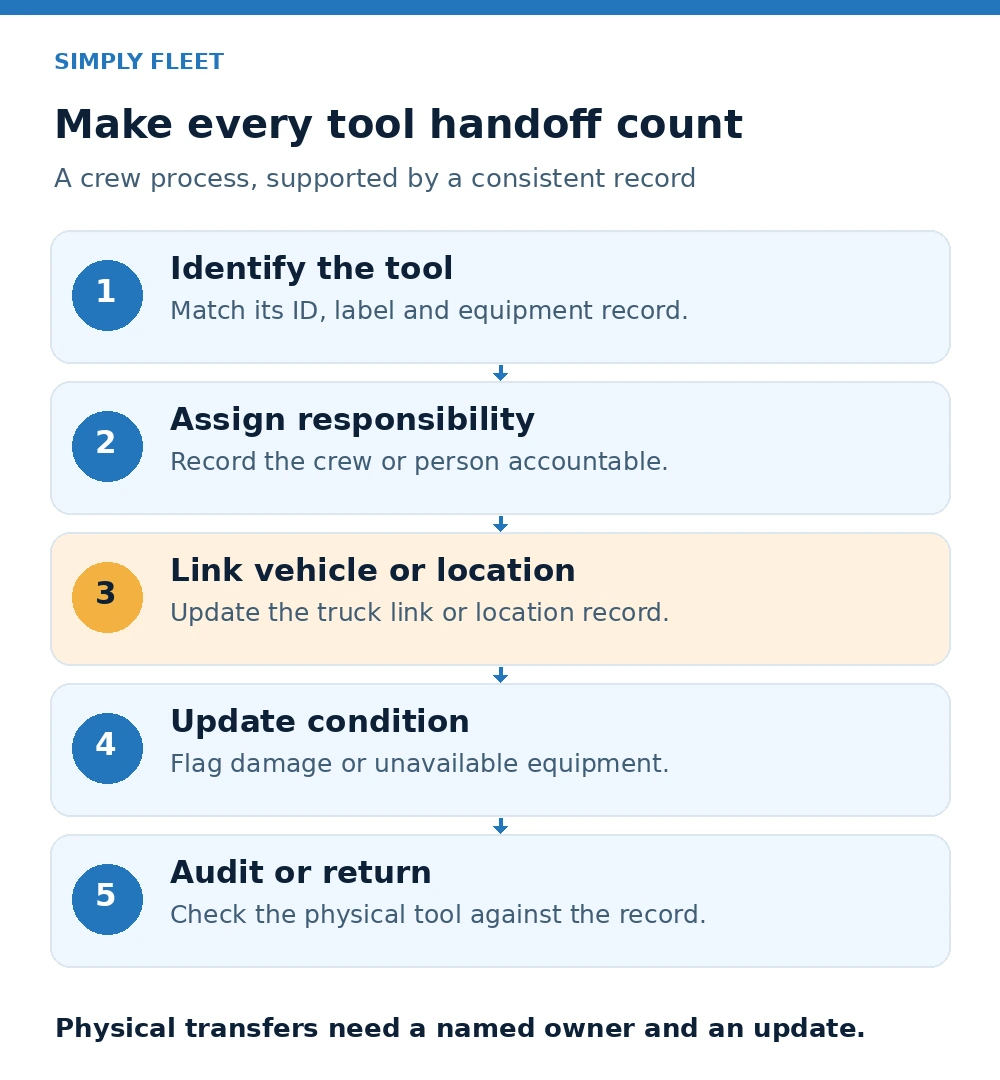
- Identify: Give each tracked tool a unique ID or barcode and photograph it when useful. Keep the physical label and software record consistent.
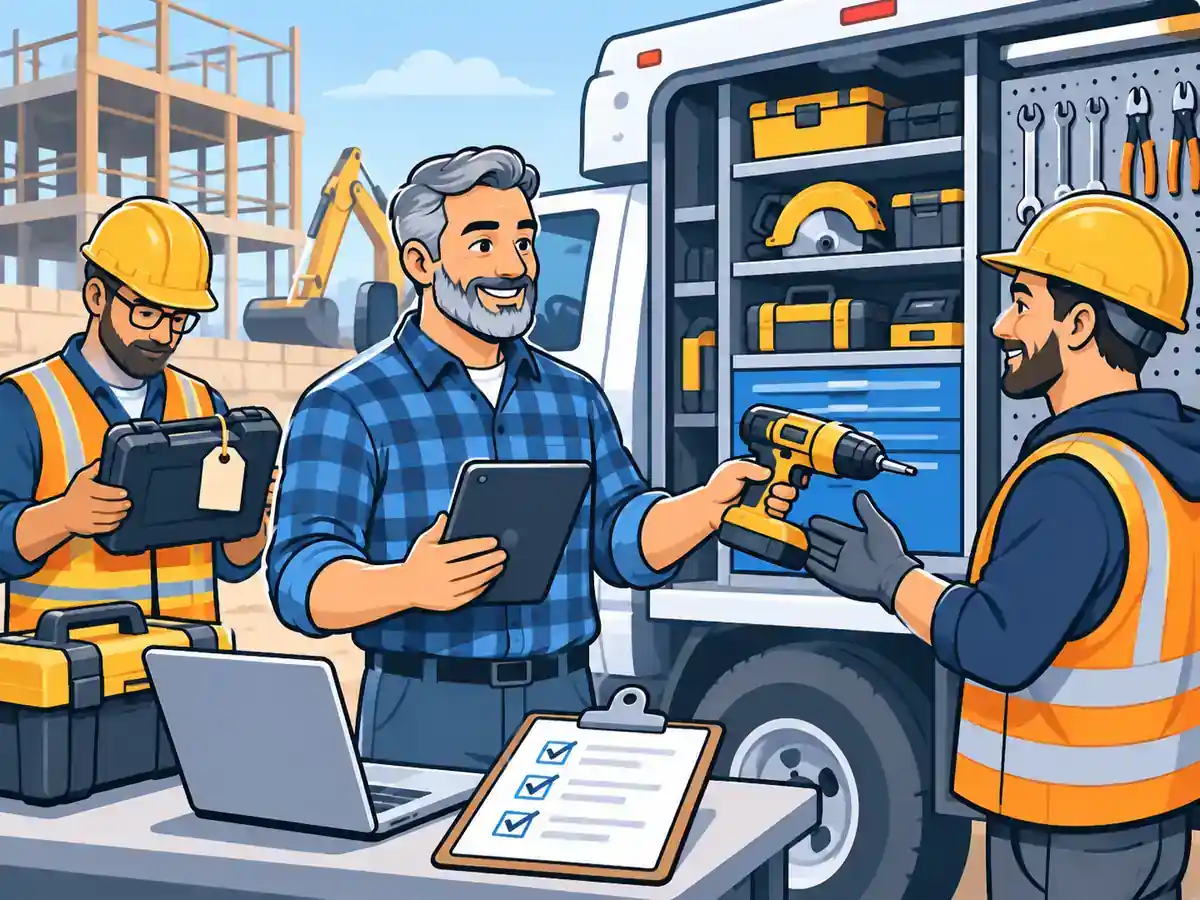
- Assign: Record the responsible technician or team and any linked truck or equipment. Make handoffs an explicit task rather than a verbal assumption.
- Move: Establish a checkout, transfer and return procedure. Define who updates the location or assignment, and when.
- Inspect: Mark damaged or unavailable equipment and route the issue to the responsible person before another crew depends on it.
- Reconcile: Compare the system against the actual contents of trucks, job boxes and stores at a practical interval.
A barcode or QR label speeds up identification, but it does not create accountability by itself. A process must still capture who took an item, where it went and whether it came back. For more detail on multi-site procedures, see our guide to tracking tools across construction jobsites.
Author's perspective: Make the transfer rule easier than the workaround
The hardest step in a tool-tracking rollout is often not creating an inventory. It is getting a busy crew to update the record when equipment changes hands. Evaluate the number of taps, the responsible person and the exception process before evaluating a long list of features.
What Does a Tool Tracking System Need to Record?
Three records answer different operational questions. An assignment record identifies who is responsible now. A maintenance record documents reported defects, work performed and service needs. An asset history keeps the equipment identity and context intact even when the responsible crew, truck or location changes.
- Assignments: Current user, team or linked vehicle; transfer date; expected return where supported; and the person accountable for updating the record.
- Maintenance: Reported condition, out-of-service status, maintenance reminder, completed service, attachments and costs where supported.
- Records: Make, model, identifying numbers, purchase details, grouping, technical information and historical entries.
A tool can be assigned correctly and still be unfit for use. Conversely, a repaired tool can be available in the records but physically left in another truck. A useful process handles both questions separately.
Construction Tool Tracking Spreadsheet vs App vs Fleet Software
The best tool tracking system is not necessarily the one with the most scanning methods. Compare how each option handles ownership, equipment maintenance, field access and the vehicles that move tools between sites.
- Spreadsheet: Flexible and inexpensive, with a manual inventory and assignment history. Weakness: multiple edited copies, delayed updates and no native workflow to follow up a reported issue.
- Dedicated construction tool tracking app: Often designed around scanning, checkout, returns and tool-room accountability. Confirm whether it supports the exact tag type, offline conditions, multi-crew transfer process and equipment service history you need.
- Fleet-connected asset software: Useful when power tools, small equipment, vehicles and maintenance records need to live in one operating system. Confirm the actual small equipment module, vehicle linking, user assignment and role permissions before purchasing.
Contractors evaluating tools such as ShareMyToolbox should compare operational workflows rather than assume every product offers the same capabilities. Demo a single tool through assignment, transfer, damage reporting, service and return. Ask what happens when the intended user cannot scan or access the app.
What Is the Best Mobile Tool Tracking Software for Contractors?
The best mobile option is the one that crews use reliably in the field and that managers can audit later. For a tool-room-first operation, look closely at barcode/QR identification, sign-out and return speed, crew visibility and missing-tool follow-up. For a business where tools are regularly attached to trucks and machinery, prioritize linked vehicle records, status visibility, inspection or service workflows and role-based access.
Test the software against real cases: a drill borrowed by another crew, a generator left at a second site, an item under repair and a technician changing vehicles. Check what the mobile user can see, whether actions require network access, how errors are corrected, and who can export data. Do not select solely on free-plan availability. Verify the current pricing and limits for the number of assets you actually need to track.
Download Our Equipment Redeployment Checklist
Prevent costly breakdowns and maximize uptime with our free checklist.
Download
What Construction Teams Discuss on Reddit About Lost Tools
In a January 2026 discussion among construction managers, contributors described spreadsheets that fell out of use, labeled bins or cases assigned to individuals and regular site walkdowns. These are informal accounts, not proof that any one method works best for every contractor. Their common operational lesson is useful: the person responsible for updating tool movement needs to be identifiable, and the physical storage system should match the digital record.
For a field crew, this suggests a practical pilot. Label the highest-value moving equipment, make one person responsible for handoff records, and audit a few truck boxes at the end of each week. Measure exceptions before adding more assets or upgrading software.
How Simply Fleet Handles Small Equipment Assignments and Maintenance
Simply Fleet's small equipment records are designed for tools and smaller assets that operate alongside a fleet. Teams can create an equipment entry with required identifying details, group equipment by operational needs, assign users and link equipment to vehicles. The small equipment guide also documents status controls and a way to mark equipment out of service. Users can review relevant service history and maintenance reminders for the equipment as applicable.
This is distinct from assuming every tool has live GPS location or a fully automated checkout. A user assignment records responsibility, while a linked vehicle provides useful operational context. Teams should still define their own transfer and physical audit process. Simply Fleet's tool tracking system is most relevant when those records should sit beside vehicle and maintenance activity.
Author's perspective: Test a damaged tool before testing a dashboard
Software demonstrations often show the clean inventory screen. A better test is the messy day: a technician discovers that an assigned tool is damaged at another site. Can the team identify the equipment, record its condition, see who is responsible and find its service record without rebuilding the story across messages?
A Practical Tool Tracking Pilot for Contractors
- Week 1: Inventory a manageable subset. Start with high-value or frequently transferred power tools. Capture identifiers, photographs, assigned users and storage locations.
- Week 2: Define handoffs. Require an assignment update whenever an item changes crews, vehicles or jobsites. Assign responsibility for resolving exceptions.
- Week 3: Add condition and service records. Track damaged tools separately from missing tools. Record service actions and next maintenance needs where applicable.
- Week 4: Reconcile and decide. Count unlocated tools, duplicate purchases, delayed jobs and missed updates. Fix the process before scaling it across every site.
A simple pilot produces meaningful buying criteria. If most exceptions are missing handoffs, prioritize easy assignments and audits. If the biggest delays involve damaged equipment, prioritize service records and condition visibility. If the real difficulty is equipment stored across vehicles, ensure truck linkage is part of the product demonstration.
Choosing Between a Tool-Only App and Fleet-Connected Tracking
Choose a dedicated app when your central problem is the movement of handheld tools across a large number of users and tool rooms. Choose fleet-connected management when the same business also needs to organize service vans, mobile equipment, tool assignments, repair issues and maintenance records. Either choice still needs clear ownership and consistent data entry.
For a broader explanation of the process, read How to Keep Track of Tools and Equipment. If your operation spans multiple active sites, the multi-jobsite tracking guide explains how to structure transfers and responsibility.
The Bottom Line
Construction tool tracking is effective when managers can distinguish what they own, where it is assigned and whether it is ready for work. A spreadsheet may be enough for a small, stable tool store. A dedicated app can make checkout simpler. For contractors with vehicles and equipment, a connected asset and maintenance record can reduce the number of disconnected systems teams have to maintain.
CONSTRUCTION FLEET AND TOOL TRACKING
Track tools, vehicles and maintenance in one place
See how Simply Fleet organizes equipment records, assignments and service history for contractors managing mobile crews and mixed assets.