

Preventive Maintenance Checklist for Excavators: What to Check and When
Key Takeaways
Full transparency upfront: I'm the co-founder of Simply Fleet, which is one of the tools in this list. This analysis comes from 6+ years building fleet management software and studying the competitive landscape—not casual testing.
I'm breaking down 7 work order and inventory management solutions so you can pick what's best for your needs. Each includes an "ease of use" score and honest assessment of where competitors excel.
This isn't a sales pitch. You'll see exactly where other solutions might be better choices for specific use cases.
What is Work Order & Inventory Management Software?
Work order and inventory management software helps you track maintenance tasks, manage parts and supplies, create digital work orders, and keep tabs on your equipment or fleet. Instead of juggling clipboards, Excel sheets, and text messages about which truck needs an oil change, everything lives in one system.
For fleet managers and maintenance teams, this software is the difference between constantly playing catch-up and actually staying ahead of breakdowns. You can schedule preventive maintenance, track fuel and expenses, manage parts inventory, and know exactly what's happening with every vehicle or asset.
These tools aren't ranked in any particular order, but I've organized them by what they're best for so you can jump straight to what matters for your team.
1. Simply Fleet
.avif)
Quick facts:
- Category: Fleet maintenance and Management
- Best for: Small and mid-size fleets replacing spreadsheets or outdated software
- Ease of use: Beginner
- Pricing: Free plan; paid from $2/vehicle/month
How Simply Fleet works
When we started Simply Fleet, we kept hearing the same frustration from fleet managers: "The enterprise CMMS tools are overkill and way too expensive for our 30-truck operation, but spreadsheets are an absolute nightmare." That's exactly why we built this.
Simply Fleet is a mobile and web app that handles the core stuff most fleets actually need: logging maintenance, creating digital inspections, tracking fuel and expenses, generating work orders, and setting up reminders. It's not trying to be everything to everyone. It's trying to be really good at the fundamentals.
Here's a real example of how it works. Let's say you run a delivery fleet with 20 vans. You set up service reminders based on mileage or time intervals—oil changes every 5,000 miles, DOT inspections every year, whatever your schedule is. Your drivers can log issues and mileage from their phones right after their route ends: "Check engine light came on near Exit 42." You get a notification, create a work order, assign it to your mechanic, and track it through completion. Everything's in one place instead of scattered across sticky notes, text messages, and that one Excel file nobody can ever find.
The thing we obsessed over was making it dead simple. No complex workflows to configure, no 47-page training manual, no consultant required. Most teams are fully up and running within a day or two, sometimes even a few hours. Because here's what we learned: if your drivers and techs won't actually use the software, it doesn't matter how powerful it is.
You can see the maintenance history of each vehicle, how much you’ve spent this month, and what’s due next week. No pivot tables. No downloads. Just clear numbers that help you make quick, confident decisions.
Who is Simply Fleet for?
Simply Fleet is built for teams from 5 to 5000 vehicles that are ready to stop managing maintenance with spreadsheets, paper logs or outdated softwares. Service fleets, delivery companies, construction companies, municipal departments, landscaping crews—basically any operation where you need to track vehicle maintenance without hiring a dedicated CMMS administrator.
The sweet spot is small to mid-size fleets that need something better than what they're doing now, but don't need (or can't afford) the enterprise-grade platforms with every bell and whistle imaginable.
Now, I'll be honest about where we're not the right fit. If you're managing a massive enterprise fleet with thousands of vehicles, complex multi-location inventory, and you need deep API integrations with your ERP system, you probably need something more robust like Limble or Fiix. And if you're a field service company that needs full CRM functionality with customer quotes and invoicing, Jobber might be a better match. But if you want maintenance tracking that your whole team will actually use because it's straightforward, we built Simply Fleet for exactly that.
Simply Fleet pricing plans
Free plan: You can test Simply Fleet with a limited number of vehicles. It's good for very small fleets (under 5 vehicles) or if you want to trial the system before committing. Some G2 reviewers mention this tier has a vehicle cap that pushes you toward paid plans, which is true—but it lets you kick the tires risk-free. And if you’re serious about switching from your current setup—or the lack of one—you can get free full-access for a period of time.
Essential ($2/vehicle/month, 5-vehicle minimum): This is where most small fleets start, and honestly, where many stay. You get core maintenance tracking, service reminders, digital inspections, fuel and expense logging, work orders, and basic reporting. For a 10-vehicle fleet, that's $20 a month. For 25 vehicles, it's $50 a month.
Advanced ($4/vehicle/month): Everything in Essential plus Work Order Management, Inventory Management, Telematics integration, and priority support. This is where you get the full CMMS capabilities—create and assign work orders, track parts inventory, connect with Geotab or Samsara for automated data, and get faster support when you need it.
We also offer annual billing that gets you a discount. The math works out to roughly two months free if you pay upfront for the year.
Here's why the per-vehicle pricing makes sense for fleets: Unlike per-user tools where you're paying $20 to $55 per person, you're paying for assets, not seats. If you have 20 trucks but only three people logging maintenance, you're paying for 20 vehicles at $2-4 each, not buying three $20-55 user licenses. For small fleet operations, that math makes a huge difference.
Pros
Actually easy to use. I know every software company says this, but G2 reviewers consistently mention how quickly they got their team on board with Simply Fleet. No lengthy onboarding process, no training seminars. Your drivers and techs just... start using it.
Affordable for all fleets. At $2 per vehicle per month, a 10-truck fleet pays $20 monthly. A 50-vehicle fleet pays $100. Compare that to per-user tools where you might easily hit $200-300 a month for just a few users.
Mobile-friendly from the ground up. Your drivers and techs can log everything from their phones without fumbling through complex menus or waiting to get back to a desktop. Real-time updates mean you know about issues immediately, not at the end of the week when someone finally enters their paper logs.
You don't need a CMMS expert. You can set this up yourself over a weekend without hiring a consultant or calling in your IT department. That's by design.
You get what you actually need—maintenance history by vehicle, cost tracking, upcoming services, inspection records—without drowning in analytics you'll never look at. Sometimes "good enough" is exactly what you need.
Cons
The free tier is limited. G2 reviewers mention the vehicle cap on the free plan pushes you to paid tiers fairly quickly. That's fair—we have to keep the lights on and keep improving the product. But it does mean if you've got more than a handful of vehicles, you'll need to budget for at least the Essential plan.
Editing restrictions on entries. A few reviewers mentioned limits on editing trips or log entries after they're saved. This was a design decision we made to keep data integrity clean (so you can't just go back and change maintenance records), but I understand it frustrates some users who made a typo and want to fix it.
Not built for enterprise complexity. If you need advanced inventory management with vendor purchase orders, multi-location warehousing, complex approval workflows, and extensive API integrations, you'll outgrow Simply Fleet. We built this for simplicity and ease of use, not for Fortune 500 operations with dedicated maintenance departments.
Simply Fleet ratings
- G2: 4.7 out of 5 stars (from 40 reviews)
- Capterra: 4.6 out of 5 stars (from 26 reviews)
Look, I'm obviously biased here. But the reason we built Simply Fleet was because we genuinely needed something between "free spreadsheet chaos" and "$10,000 enterprise software with a six-month implementation timeline." If that's your situation too—if you're tired of losing maintenance records and want something your team will actually use—I'd love for you to try Simply Fleet.
2. MaintainX
Quick facts:
- Category: CMMS / Work order & asset management
- Best for: Teams needing mobile work orders and procedures at scale
- Ease of use: Beginner to Intermediate
- Pricing: Free Basic plan; Essential $20/user/month (annual) or $25/monthly; Premium $65/user/month (annual) or $75/monthly
How MaintainX works
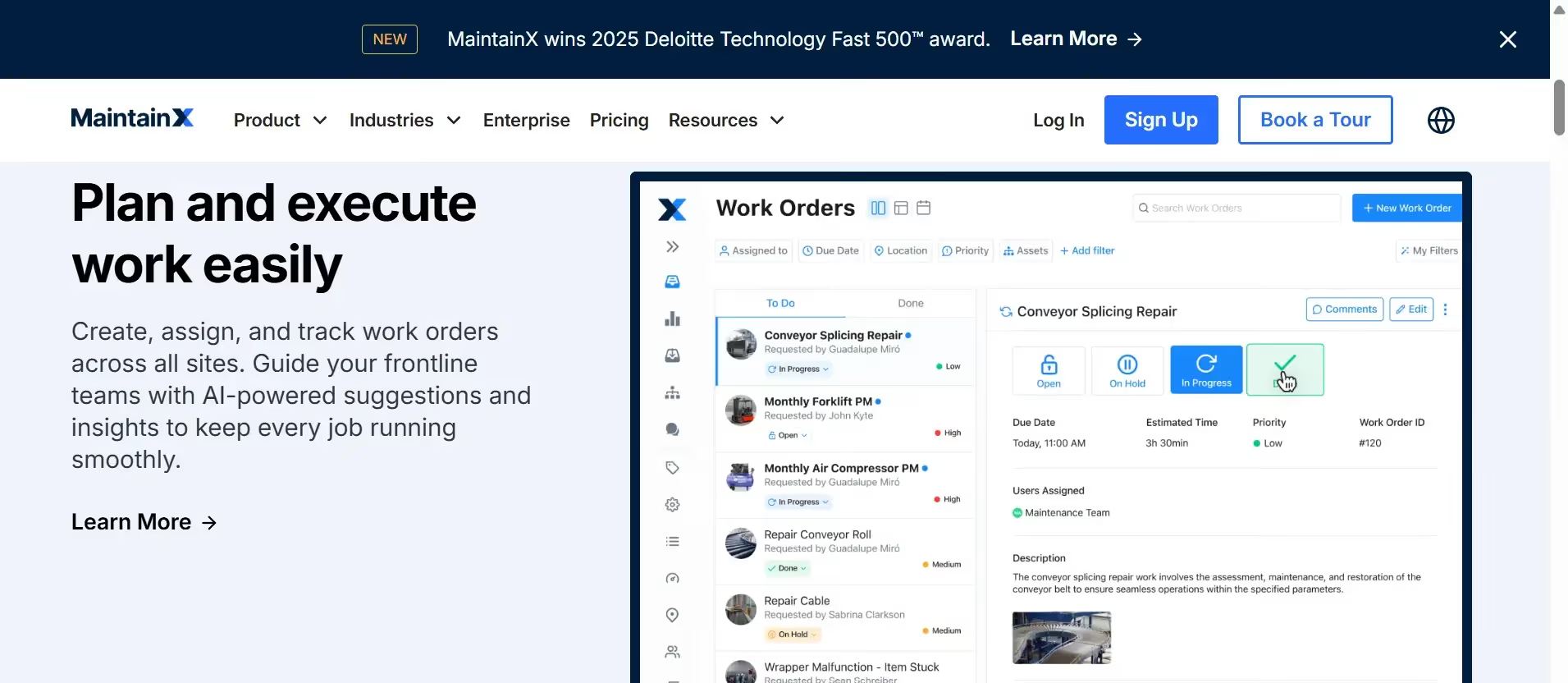
MaintainX is a mobile-first CMMS (computerized maintenance management system) that focuses heavily on work orders, standard operating procedures, approval workflows, preventive maintenance scheduling, and real-time team messaging. It's designed to standardize how your team handles maintenance tasks, which is really valuable if you've got multiple people doing things their own way.
The platform shines when you need detailed procedures and checklists. You can build out SOPs (standard operating procedures), attach photos and documents, require approval signatures, and track everything through mobile devices. It's also got built-in analytics to help you understand where your maintenance time and money are going.
Who is MaintainX for?
MaintainX works well for manufacturing facilities, property management teams, and field operations that need to standardize maintenance procedures across multiple people or locations. If your goal is to make sure everyone follows the same process—like ensuring every safety inspection hits the same 25 checkpoints—MaintainX gives you the structure to enforce that.
It's also solid if you're moving from paper-based maintenance logs to digital and want something that's relatively easy to adopt without overwhelming your team.
MaintainX pricing plans
- Basic (Free): Limited features to test the platform
- Essential ($20/user/month annually, or $25 monthly): Core work orders and preventive maintenance functionality
- Premium ($65/user/month annually, or $75 monthly): Advanced analytics, procedures, automation workflows
- Enterprise: Custom pricing for larger organizations with specific needs
Pros
Mobile workflows are excellent. Reviewers consistently mention how well the mobile app works for techs in the field. The interface is intuitive, and people can actually complete work orders on their phones without frustration.
Good for standardizing processes. If you need everyone doing maintenance the same way every time, the procedure and checklist features really shine.
Strong review scores. With 4.8/5 on both G2 and Capterra (over 1,200 reviews on each), a lot of teams are clearly happy with it.
Cons
Per-user pricing adds up. This is a common concern in the market. If you've got 10 techs or managers who need access, you're looking at $200-650 per month depending on which plan you choose. For smaller teams, that can get expensive compared to per-vehicle pricing models.
Advanced features live on higher tiers. Things like automation and deep analytics are locked behind the Premium plan at $65/user/month, which might be out of reach for smaller operations.
More features mean more complexity. While MaintainX is positioned as easy to use, there's a learning curve if you want to take advantage of the procedure building and automation capabilities. It's more complex than simpler fleet-focused tools.
MaintainX ratings
- G2: 4.8/5 (from 1,239 reviews)
- Capterra: 4.8/5 (from 1,308 reviews)
3. Limble CMMS
Quick facts:
- Category: CMMS / Asset & inventory management
- Best for: Organizations needing robust inventory/parts tracking and API integrations
- Ease of use: Intermediate
- Pricing: Free plan available; Standard $28/user/month (annual); Premium+ $69/user/month (annual); Enterprise custom
How Limble works
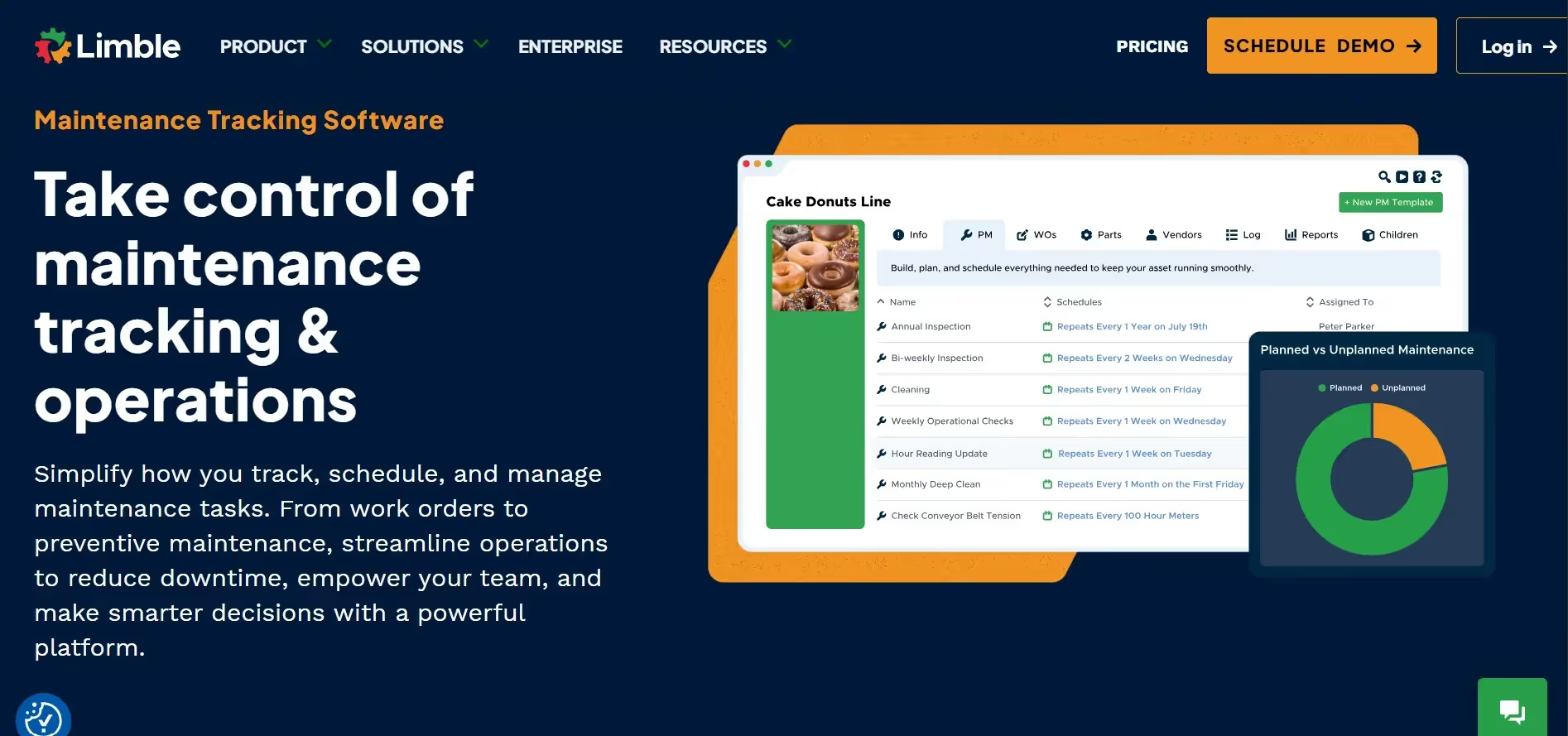
Limble CMMS is a feature-rich platform that covers work orders, preventive maintenance, asset histories, parts and inventory management, vendor tracking, purchase orders, dashboards, and an open API for integrations. Higher-tier plans include offline mobile access, which is clutch if your techs work in areas with spotty cell service.
The inventory management piece is where Limble really differentiates itself. You can track parts quantities, set reorder points, manage vendor relationships, create purchase orders, and tie all of that directly to work orders and specific assets. If you're tired of running out of critical parts or not knowing what's in your shop, Limble gives you real visibility.
Who is Limble for?
Limble is built for maintenance teams that need more than just basic work order tracking. If you're managing inventory and parts across multiple locations, want detailed analytics on asset performance, or need API integrations with other business systems, Limble has the depth you're looking for.
It's a step up in complexity from lighter tools like Simply Fleet, but you're getting more advanced capabilities in return.
Limble pricing plans
- Free plan: Limited usage to test out the platform
- Standard ($28/user/month ): Core CMMS features plus dashboards
- Premium+ ($69/user/month ): Adds inventory management, vendor/PO workflows, API access, and offline mobile
- Enterprise: Custom pricing with additional features
Pros
Strong inventory and parts management. If you need full parts tracking with vendor management and purchase orders, Limble's got you covered better than most competitors.
API access for integrations. On the Premium+ plan, you can connect Limble to your ERP, accounting system, or other business tools. That's valuable for larger operations.
Offline mobile capability. For techs working in warehouses, remote job sites, or rural areas without reliable connectivity, offline mode (Premium+ and above) is a game-changer.
Good user reviews. 4.8/5 on both G2 and Capterra with hundreds of reviews shows consistent satisfaction.
Cons
Inventory and API features cost more. The really robust parts management and API access don't kick in until the Premium+ tier at $69/user/month. That's nearly $70 per person, which can get pricey for teams with multiple users.
Some user frustration noted. G2 reviews include mentions of missing features or aspects that aren't user-friendly for certain use cases. It's worth demoing thoroughly to make sure it fits your workflow.
Monthly billing costs significantly more. If you can't commit to annual billing, you're paying $33 or $79 per user per month instead of $28 or $69. That extra $5-10 per user adds up.
Cloud-only, no on-premises option. If your organization requires on-prem software for security or compliance reasons, Limble won't work for you.
Limble ratings
- G2: 4.8/5 (from 614 reviews)
- Capterra: 4.8/5 (from 695 reviews)
4. UpKeep
Quick facts:
- Category: CMMS / Asset operations
- Best for: Teams wanting a quick start with transparent per-user pricing
- Ease of use: Beginner to Intermediate
- Pricing: Essential $20/user/month; Premium $55/user/month; Professional/Enterprise custom
How UpKeep works
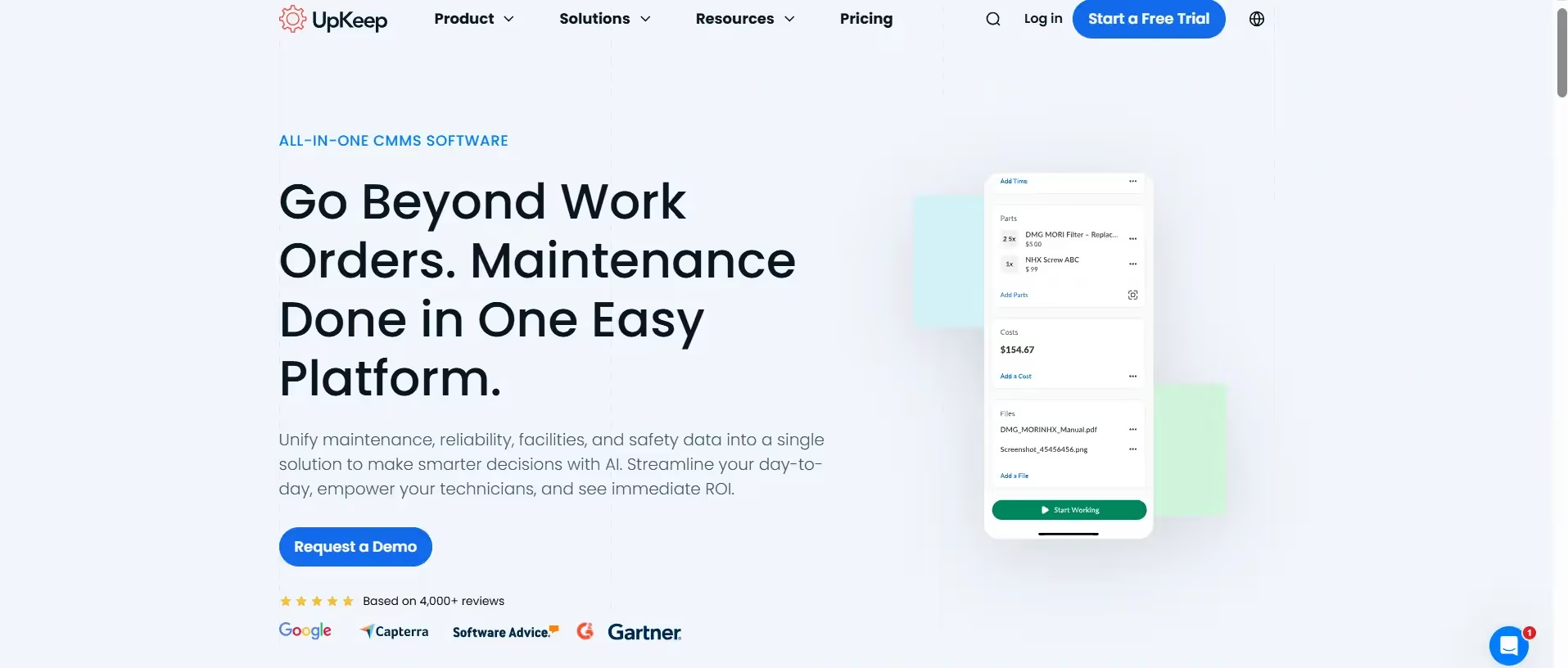
UpKeep is a mobile-first CMMS focused on work orders, preventive maintenance, inventory and parts tracking, time and cost tracking, and analytics. The platform is designed to get teams up and running quickly without a long implementation process. Higher tiers add things like PM optimization, inventory costing, and more detailed analytics.
One thing I appreciate about UpKeep is the transparent pricing on their website. You can see exactly what it'll cost before you talk to sales, which isn't always the case with CMMS providers.
Who is UpKeep for?
UpKeep works well for maintenance teams that want standard CMMS features with published pricing so they can start small and scale up as needed. It's a solid middle-ground option—more capable than basic fleet tools, but not as complex as full enterprise platforms.
If you want to test the waters with a lower-priced Essential plan and upgrade later when you need advanced features, UpKeep's structure supports that.
UpKeep pricing plans
- Essential ($20/user/month): Unlimited work orders, asset management, request users
- Premium ($55/user/month): Adds PM optimization, inventory costing, time tracking, and 30-day analytics retention
- Professional (Custom Pricing): This tier is for larger operations needing more advanced capabilities like multiple inventory lines, mobile offline mode, and advanced analytics.
- Enterprise (Custom Pricing): This top tier is for large organizations requiring extensive customization, multi-site management, workflow automation, SSO, API access, and advanced reliability tracking.
Pros
Straightforward work order flow. Many reviews highlight how easy it is to create, assign, and complete work orders. The interface doesn't get in the way.
Transparent entry-level pricing. At $20/user/month, you can get started without a huge budget commitment. That's competitive with other per-user CMMS tools.
Mobile-first design. Like MaintainX, UpKeep clearly prioritized the mobile experience, which matters when your team is out in the field or on the shop floor.
Cons
Some performance issues. Capterra reviewers mention occasional slowness and visibility limits on technician notes or details. It's not a dealbreaker, but something to test during a trial.
Advanced features cost more. PM optimization, deeper inventory management, and better analytics don't show up until you're paying $55/user/month. If you've got a team of 8 people, that's $440 monthly.
Reporting gaps. Some users want more robust reporting and better ways to save custom lists or views. The analytics improve on higher tiers, but you might still find limitations.
Cost scales per user. Like all per-user tools, if your team grows, your monthly bill grows proportionally. A team of 15 users on Premium is $825/month.
UpKeep ratings
- G2: 4.5/5 (from approximately 1,029 reviews)
- Capterra: 4.6/5 (from approximately 1,320 reviews)
5. Fiix
Quick facts:
- Category: CMMS by Rockwell Automation
- Best for: Enterprises wanting CMMS aligned with industrial/IoT ecosystems
- Ease of use: Intermediate
- Pricing: Free plan available; Basic $45/user/month; Professional $75/user/month; Enterprise custom pricing
How Fiix works
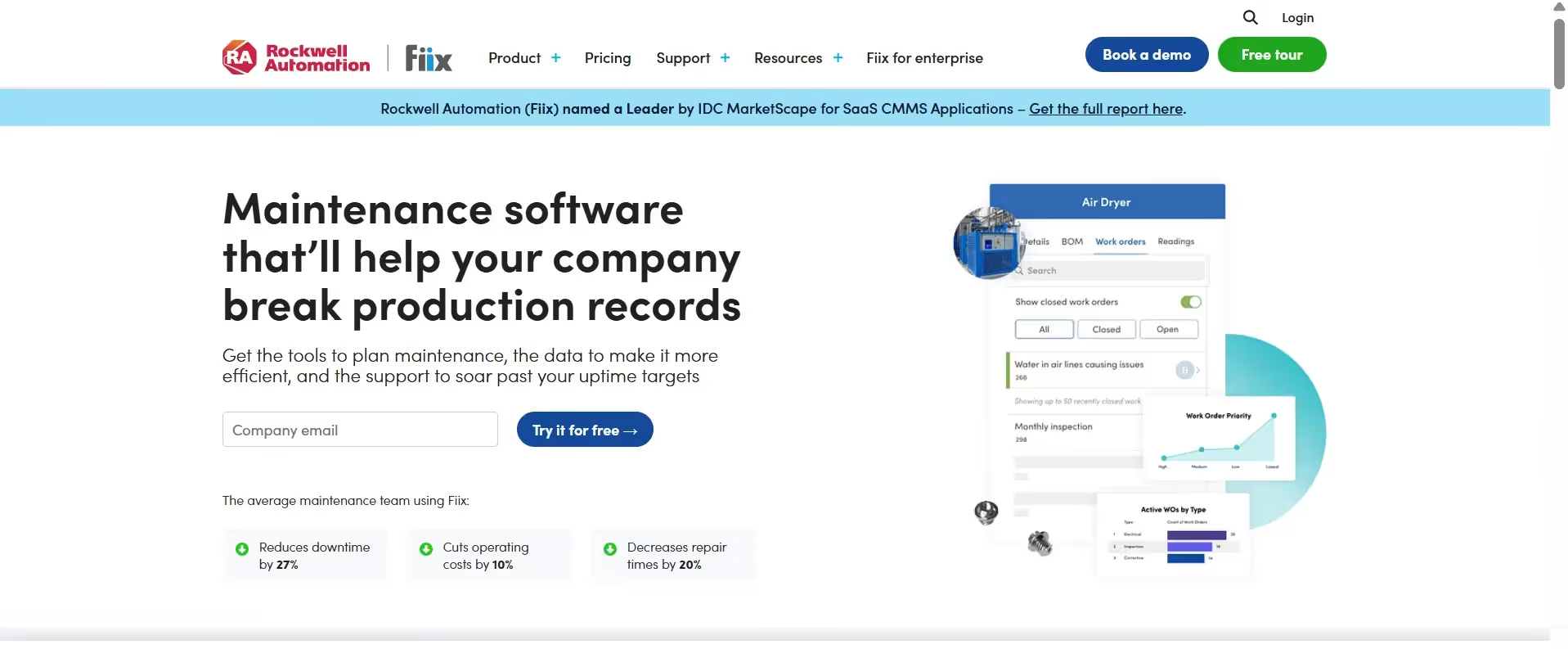
Fiix is a cloud-based CMMS owned by Rockwell Automation, which means it's positioned for integration with broader industrial systems, ERP platforms, and IoT sensors. It covers the standard CMMS bases—work orders, preventive maintenance, parts inventory, dashboards, reporting—and includes mobile apps for field access.
Because it's part of the Rockwell ecosystem, Fiix makes sense if you're already using Rockwell products or if you need a CMMS vendor with enterprise-grade support and integration networks.
Who is Fiix for?
Fiix is built for maintenance teams at larger organizations that want a vendor with enterprise focus, established integrations with ERP systems, and the ability to tie maintenance data into IoT and industrial automation platforms. If you're a small fleet operation, this is probably overkill. But if you're managing manufacturing plants, large facilities, or complex operations, Fiix has the depth you might need.
Fiix pricing plans
- Free (Limited users): unlimited work orders and asset management for limited users and 25 active PMs.
- Basic ($45 per user, per month): unlimited preventive maintenance and basic analytics
- Professional ($75 per user, per month):multi-site management and AI-driven insights
- Enterprise: This plan requires contacting the sales team for a custom quote due to widely varying enterprise requirements.
Pros
Solid capabilities for PMs and work orders. Reviewers on Software Advice and G2 cite the core functionality as reliable for preventive maintenance schedules and work order management.
Mobile access included. Field techs can access Fiix from their phones, which is table stakes for modern CMMS but worth confirming.
Enterprise-grade vendor. Being part of Rockwell Automation means you're dealing with an established player with resources for support and ongoing development.
Cons
The GUI feels dated. Multiple G2 reviewers mention that the user interface needs modernization and UX improvements. It works, but it doesn't feel as polished as newer platforms.
Complexity might be overkill. If you just need basic maintenance tracking for a small fleet, Fiix's enterprise positioning and feature set might be more than you need (and probably more expensive).
Fiix ratings
- G2: 4.6/5 (from 466 reviews)
- Capterra: Approximately 4.46/5 (from around 627 reviews)
Prevent costly breakdowns and maximize uptime with our free checklist.
Download
Behind this article
This article is brought to you by the Simply Fleet Team. The insights and recommendations you'll find here are not just theoretical; they are distilled from countless hours spent engaging with fleet professionals like you. Our team members actively collect knowledge from our customers, hundreds of discovery calls, and expert consultations. This ongoing dialogue is crucial for us to understand the struggles our users face, driving continuous improvement in our product and enabling us to share practical, experience-backed advice.
6. FMX
Quick facts:
- Category: Facilities & maintenance management
- Best for: Facilities and K-12 operations needing scheduling, room reservations, and maintenance in one system
- Ease of use: Beginner to Intermediate
- Pricing: Quote-based; depends on users and features; includes one-time implementation fee; special K-12 pricing available
How FMX works
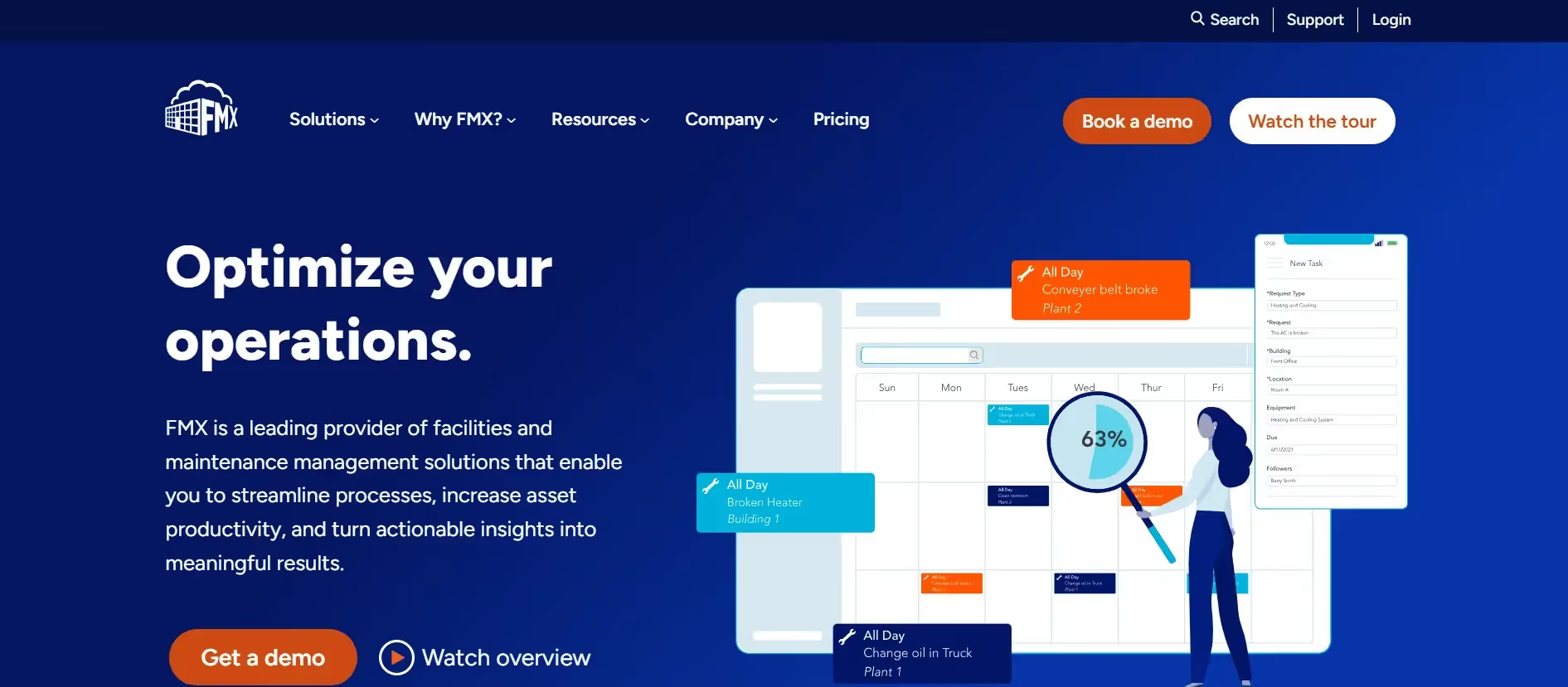
FMX offers modules for work orders, preventive maintenance, inventory and parts, facility scheduling and room reservations, floor plans and maps, and reporting dashboards. The mobile app is included. What sets FMX apart is the facility scheduling piece—you can manage not just maintenance, but also room bookings, event scheduling, and resource reservations all in the same platform.
This makes it particularly popular with schools, universities, municipal facilities, and corporate campuses where you need to track both "fix the HVAC" and "book the conference room for Tuesday."
Who is FMX for?
FMX is purpose-built for facilities managers, K-12 schools, higher education, and municipal operations. If you're managing buildings, campuses, or facilities where maintenance and space scheduling both matter, FMX gives you everything in one system instead of juggling separate tools.
It's less focused on fleet operations specifically and more on facility management broadly, but if your fleet work happens alongside building maintenance, it could be a fit.
FMX pricing plans
FMX uses custom, quote-based pricing that depends on your user count and which modules you need. There's also a one-time implementation fee to get you set up. They offer special pricing for K-12 schools, which is a nice touch for education budgets.
The downside is you can't just look up the price and make a quick decision—you have to request a quote and go through their sales process.
Pros
Strong ratings and support. With 4.7/5 on both G2 and Capterra (413 reviews on Capterra), users seem happy with the platform and the support they receive.
Facility scheduling is unique. Most CMMS tools don't include robust room reservation and event scheduling. If that matters to your operation, FMX has a real advantage.
Built for schools and facilities. The K-12 focus means they understand the specific needs of education and public sector facilities, including budget constraints and reporting requirements.
Cons
Small sample size on G2. Only 26 G2 reviews means the feedback isn't as comprehensive as platforms with hundreds or thousands of reviews. It's harder to gauge edge cases or issues.
Quote-based pricing plus implementation fee. For smaller teams on tight budgets, having to get a custom quote and pay an upfront implementation fee can be a hurdle. You're committing before you know the total cost.
FMX ratings
- G2: 4.7/5 (from 26 reviews)
- Capterra: 4.7/5 (from 413 reviews)
7. Jobber
Quick facts:
- Category: Field service management
- Best for: Home services and field teams (landscaping, HVAC, plumbing, cleaning) needing CRM, scheduling, jobs, and payments
- Ease of use: Beginner
- Pricing: Core from $24/month (1 user); Connect $72/month; Grow $120/month; Plus $360/month (annual billing; monthly available at higher rates)
How Jobber works
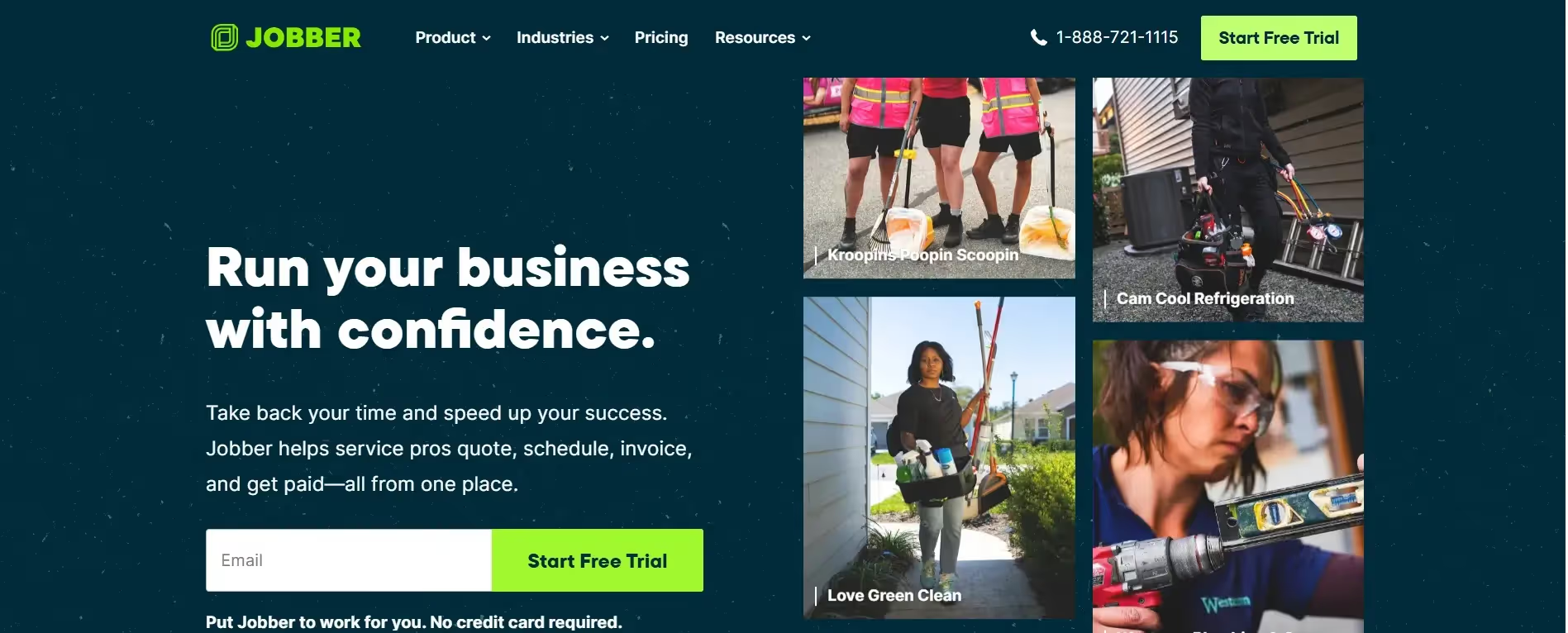
Jobber is really a field service management platform, not a pure CMMS or fleet maintenance tool. It handles lead management, customer quotes, scheduling and dispatch, job checklists, time tracking, invoicing, and payment processing. There's even integration with The Home Depot supplier catalog (in the US) so you can pull product pricing directly into your quotes.
If you run a service business where you're going to customer locations, giving quotes, completing jobs, and collecting payment, Jobber streamlines that entire workflow in one system.
Who is Jobber for?
Jobber is designed for owner-operators and small field service teams—think landscapers, HVAC companies, cleaning services, plumbers, electricians. If you need CRM functionality, customer-facing quotes and invoices, and job scheduling all in one place, Jobber makes a lot of sense.
However, it's not really built for fleet maintenance tracking or internal asset management. It's about managing customer jobs and the business side of field work. If you're running a delivery fleet or maintaining your own equipment internally, Jobber isn't the right fit.
Jobber pricing plans
- Core ($24/month annual, 1 user): Basic job scheduling, invoicing, and customer management
- Connect ($72/month annual individual, or $104/month for teams up to 5 users): Team features and more advanced job workflows
- Grow ($120/month annual individual, or $200/month for teams up to 10 users): Marketing automation and more customer engagement tools
- Plus ($360/month annual, teams up to 15 users): Advanced features for larger teams and higher job volumes
Note: Promotional rates shown are for annual billing (first 12 months). Standard monthly billing available at higher rates ($39-599/month).
Pros
All-in-one job workflow. Reviewers like having scheduling, quoting, invoicing, and payment processing in a single system. You're not switching between five different tools to manage customer jobs.
Good for customer-facing work. If your business revolves around going to customer sites, quoting work, and collecting payment, Jobber is purpose-built for that.
Beginner-friendly. It's marketed for small business owners who might not be super tech-savvy, and the interface reflects that simplicity.
Cons
Mobile app is more limited. G2 reviewers mention the mobile app has fewer functions than the desktop version, which is frustrating for field teams who live on their phones.
Reporting gaps. Some users want more robust reporting and analytics, especially on higher-tier plans where you'd expect deeper insights.
QuickBooks sync frustrations. Multiple reviews mention accounting integration issues, specifically with QuickBooks. If that's your accounting software, test the sync thoroughly during your trial.
Not a CMMS. This isn't really a con if you understand what Jobber is, but it's worth repeating: Jobber doesn't do fleet maintenance tracking or internal work orders the way a CMMS does. It's for customer jobs and field service business management.
Jobber ratings
- G2: 4.6/5 (from 403 reviews)
- Capterra: 4.6/5 (from 1,249 reviews)
Which Tool is Right for You?
Alright, here's how I'd think about choosing between these seven options:
If you're a small-to-mid-size fleet (5-200 vehicles) looking to replace spreadsheets with something simple and affordable, Simply Fleet is literally built for this. At $2-4 per vehicle per month, it's the lowest entry price on this list for fleet-specific maintenance tracking.
If you need robust inventory management with parts tracking, vendor POs, and advanced analytics, Look at Limble CMMS (Premium+ plan) or UpKeep (Premium plan). Both give you deeper inventory controls than basic fleet trackers, though you'll pay $55-69 per user per month for those features.
If you're managing facilities or schools and need room scheduling alongside maintenance, FMX is purpose-built for that combo. Just budget for custom pricing and an implementation fee.
If standardized procedures and mobile work orders are your top priority, MaintainX or UpKeep both excel here, with strong mobile apps and clear workflow structures.
If you're part of a larger enterprise with ERP integrations and IoT needs, Fiix (backed by Rockwell Automation) is positioned for those complex environments.
If you run a field service business (not fleet maintenance), Jobber handles customer quotes, scheduling, invoicing, and payments in one system. But it's not a CMMS or fleet tracker.
Pricing style matters too: Simply Fleet charges per vehicle ($2-4/month). MaintainX, Limble, and UpKeep charge per user ($20-79/month depending on features). FMX requires custom quotes. Fiix starts at $45/user/month (Basic) or $75/user/month (Professional), with Enterprise requiring custom quotes. Jobber charges per plan with user limits ($29-599/month). Match that structure to how your team is organized and how many people need access versus how many assets you're tracking.
The bottom line? If you're only focused on fleet maintenance and work orders without needing enterprise-grade inventory or complex integrations, Simply Fleet or UpKeep Essential will probably cover you at the lowest cost. If you need more advanced CMMS features like full parts management, deeper analytics, or API integrations, you're looking at Limble, UpKeep Premium, or MaintainX Premium. And if you're managing facilities beyond just fleet, FMX brings room scheduling into the mix.
Quick Comparison Table
Is Work Order & Inventory Management Software Worth It in 2026?
Yeah, absolutely—if you're still using spreadsheets or paper logs, the ROI is obvious pretty much immediately.
Here's what I've seen across hundreds of fleet operations: Teams that switch from manual tracking to even a basic system like Simply Fleet find breakdowns they missed, catch preventive maintenance before it becomes emergency maintenance, and stop losing service records. That alone pays for the software within the first month or two.
The bigger question is which system is worth it for your specific situation. A 12-truck landscaping company doesn't need a $500/month enterprise CMMS. A 500-vehicle municipal fleet probably shouldn't be using a basic tracker without inventory management.
Start with what you actually need to solve right now. Can't keep up with oil changes and inspections? Any of the simpler tools (Simply Fleet, UpKeep Essential) will fix that. Constantly running out of parts? You need Limble or UpKeep Premium with inventory. Managing customer jobs, not internal fleet? Jobber makes sense.
Most of these platforms offer free trials or free tiers. Test them with your actual workflow before committing. And don't overthink it—the best work order software is the one your team will actually use every day.
Want to try Simply Fleet? Start your free trial here and see if it fits your operation. No credit card required.
Disclaimer
Full disclosure: I'm a co-founder of Simply Fleet, one of the tools in this comparison, so I'm obviously biased. I've tried to give honest reviews based on real user feedback and public data, but you should do your own research, read reviews, and try free trials before deciding. Pricing and features may change. This is general information, not professional advice for your specific situation.