

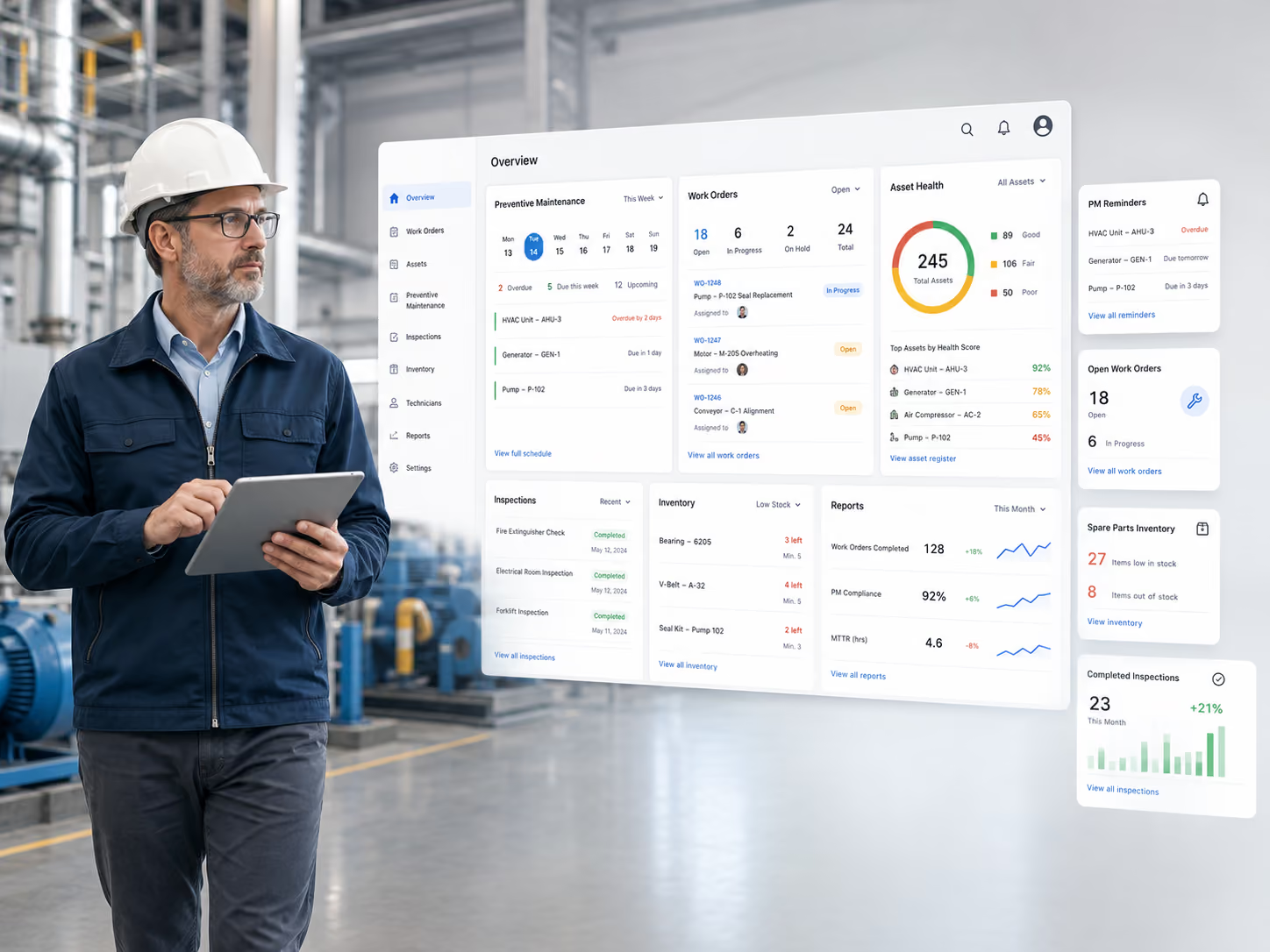
Maintenance software comparison

Best Maintenance Management Software in 2026: Top Tools Compared

Maintenance management software connects preventive maintenance, work orders, asset history, inspections, parts, and reporting across equipment, facilities, machinery, and mixed-asset operations. The right platform depends on what you maintain. For a broad starting shortlist, consider MaintainX for frontline execution, Limble for PM planning, and Simply Fleet for usage-based preventive maintenance with connected repair workflows.

Maintenanance Management software overview
Editor’s picks

Start With Your Maintenance Environment

The best choice depends less on a universal ranking and more on the assets, maintenance triggers, and operating environment your team manages.

MaintainX

Best starting point for frontline maintenance teams that prioritize mobile work execution and adoption.

Limble

Best fit when preventive-maintenance scheduling flexibility is the main buying priority.

Simply Fleet

Best fit for usage-based preventive maintenance that continues into inspections, work orders, technician activity, and repair history.

At a glance

Best Maintenance Management Software at a Glance

The strongest shortlist depends on whether your priority is frontline execution, preventive-maintenance flexibility, industrial depth, facilities management, or usage-based service.

SoftwareBest forPreventive maintenanceWork ordersMobileStarting price
MaintainXFrontline maintenance teamsStrong; meter-based on PremiumYesYesFree; Essential $20/user/mo annual
LimblePM scheduling flexibilityVery strongYesYesContact sales
Simply FleetUsage-based PM + connected repair workflowsStrong; miles, hours, time + auto WO/resetYes; automatic from PM when configuredYesFree up to 5; Essential $2/asset/mo
eMaintIndustrial and multi-site maintenanceVery strong; condition-based optionsYesYes; offline on ProfessionalCustom quote
UpKeepMobile maintenance teamsStrong on Premium+YesYes; offline on Professional$24/user/mo
FiixStructured industrial CMMSStrongYesYesFree; Basic $45/user/mo
FMXFacilities and multi-building operationsStrongYesYesCustom quote
CoastSmall maintenance teamsStrong for recurring PMYesYesFree; Starter $20/user/mo
First decide

What Type of Maintenance Software Do You Need?

Product fit changes quickly once you define the assets, triggers, and people involved in the maintenance process.

Frontline work execution

Start with MaintainX, UpKeep, or Coast when technicians need fast mobile work orders, recurring tasks, and straightforward day-to-day adoption.

Preventive-maintenance planning

Limble deserves a close look when flexible calendar, usage, conditional, and completion-based scheduling is central to the buying decision.

Industrial and multi-site complexity

eMaint and Fiix are stronger candidates when maintenance involves asset hierarchies, condition-based workflows, inventory, purchasing, multiple sites, or regulated processes.

Facilities and buildings

FMX is built around facilities, buildings, work requests, equipment upkeep, inventory, and planned maintenance across physical locations.

Usage-based mobile assets

Simply Fleet belongs on the shortlist when maintenance depends on mileage, engine hours, time, inspections, and a connected path from due service or defects to completed repair history.

Methodology

How We Evaluated the Best Maintenance Management Software

This comparison is published by Simply Fleet, which is also one of the products reviewed. We disclose that relationship so readers can evaluate the recommendations with the right context.

What we reviewed

Current official product pages, help documentation, preventive-maintenance materials, mobile and integration documentation, and public pricing pages where available.

What we weighted most

Preventive-maintenance scheduling, work orders, asset history, automation, inspections, mobile use, reporting, parts and inventory, implementation, pricing, and fit for the intended maintenance environment.

How we judged preventive maintenance

We looked at recurring schedules, time and meter triggers, due and overdue visibility, reminders, automatic work creation, schedule resets, history, mobile completion, and telemetry inputs where relevant.

What this is not

This is a documentation-led comparison, not a claim that we independently completed a hands-on test of every competing product.

Last verified

Product capabilities and public pricing were reviewed on August 18, 2026. Plans, features, and commercial terms can change, so re-check final pricing before purchase.

Detailed reviews

Best Maintenance Management Software: Detailed Reviews

Each product below is evaluated for the maintenance environment it fits best. The reviews give preventive maintenance extra weight without treating every platform as interchangeable.

Best Overall for Frontline Maintenance Teams

MaintainX

Choose it when: Adoption and frontline execution matter as much as maintenance configuration.

Why we picked it

MaintainX combines work orders, procedures, recurring maintenance, asset records, messaging, and mobile workflows in a product designed around frontline execution. It is a strong all-around shortlist choice when technicians need to adopt the system quickly without giving up maintenance depth.

Preventive maintenance

Essential includes unlimited repeating work orders. Premium adds meter-based maintenance, parts inventory, purchasing, and time-and-cost tracking. MaintainX also documents usage-based maintenance plans, although some combined time-and-usage scheduling remains beta for selected customers.

Other strengths

Enterprise adds multi-site controls, IoT sensor integrations, resource planning, custom workflow automation, and stronger reporting.

Limitations & pricing

Limitation: Meter-based maintenance starts on Premium; multi-site and IoT depth sit higher in the plan structure.

Pricing: Free. Essential $20/user/month annually; Premium $65/user/month annually; Enterprise custom.

Best for Preventive Maintenance Planning

Limble

Choose it when: You need PM logic that can follow calendars, usage, readings, and completion behavior.

Why we picked it

Limble is a good fit for teams that want flexible control over when preventive work becomes due. Its PM templates connect instructions, assets, parts, schedules, and assignments instead of treating preventive maintenance as a simple calendar reminder.

Preventive maintenance

Limble supports calendar schedules, usage-based intervals, conditional schedules, seasonal rules, and rescheduling based on completion. Its help documentation also covers readings linked to assets and an AI-powered PM Builder that can generate maintenance tasks from asset manuals.

Other strengths

Mobile maintenance, work orders, asset records, parts, and broader resource-planning capabilities support teams moving from PM planning into daily execution.

Limitations & pricing

Limitation: Current public pricing is not as transparent as vendors that publish per-user rates; deeper planning capabilities can depend on plan.

Pricing: Contact sales. Limble says core subscriptions have no setup or maintenance fee; complex implementation or integrations can add cost.

Best for Usage-Based PM and Connected Repair Workflows

Simply Fleet

Choose it when: You want preventive maintenance to continue all the way into assigned repair work, parts and labor, and completed service history—not stop at the reminder. Vehicle-heavy buyers can also see our Best Fleet Maintenance Software comparison.

Why we picked it

Simply Fleet combines a strong preventive-maintenance cycle with the repair execution that follows it. Maintenance can be triggered by mileage, engine hours, time, or combined intervals; due work can become a work order; inspections can create issues; technicians track the repair; and completed work, parts, labor, notes, and costs stay connected to service history.

Preventive maintenance

Teams can schedule recurring service by mileage, engine hours, time, or combined logic; preview upcoming due points; send advance reminders; and automatically create work orders when configured. Recording the matching service resets the reminder and calculates the next due point. Supported telematics integrations can also keep mileage and engine-hour inputs current. See Simply Fleet’s preventive maintenance software.

Other strengths

The inspection-to-repair workflow connects failed inspection items with issues, work orders, technician activity, parts, labor, attachments, notes, invoice details, and completed service history.

Limitations & pricing

Limitation: Teams managing complex manufacturing facilities or fixed industrial plants may prefer a traditional CMMS built around facility and machine hierarchies.

Pricing: Free up to 5 assets; Essential $2/asset/month; Advanced $4/asset/month.

Best for Complex Industrial and Multi-Site Maintenance

eMaint

Choose it when: Condition-based maintenance, global controls, or industrial reliability depth justify a heavier CMMS.

Why we picked it

eMaint fits industrial maintenance organizations that need deeper controls around assets, work orders, parts, purchasing, reporting, conditions, and multiple locations. The product extends beyond basic scheduling into reliability and regulated-maintenance workflows.

Preventive maintenance

eMaint supports recurring PM, meter and threshold scheduling, equipment-usage triggers, condition-based triggers, real-time condition monitoring, automated workflows, and visual planning. Fault or asset-health data can be used to trigger work before a breakdown becomes the only signal.

Other strengths

Offline mobile work, multi-location inventory, calibrations, advanced reporting, APIs, ERP and SCADA integrations, and global multi-site management are available across its higher tiers.

Limitations & pricing

Limitation: Annual commitments, minimum user counts, and optional implementation services make procurement more involved than lighter tools.

Pricing: Custom quote. eMaint publishes plan structure and minimum-user requirements rather than a current fixed per-user rate.

Best for Mobile Maintenance Teams

UpKeep

Choose it when: Technicians need maintenance work to travel with them across assets and locations.

Why we picked it

UpKeep is designed around maintenance teams working away from a desk. Work orders, asset information, requests, PM, inventory, labor, and mobile workflows sit in the same maintenance platform.

Preventive maintenance

PM scheduling is included from Premium, alongside custom checklists, parts and inventory costing, and time-and-labor tracking. Higher tiers add offline mobile work, deeper asset lifecycle tracking, workflow automation, reliability tools, and multi-site controls.

Other strengths

UpKeep also offers IoT sensors for teams that want automated condition data from assets without existing integrated sensors.

Limitations & pricing

Limitation: PM, inventory, and labor tracking start on Premium; offline mobile requires Professional, and implementation services are separately priced.

Pricing: Essential $24/user/month; Premium $55/user/month; Professional and Enterprise custom.

Best for Structured Industrial CMMS Workflows

Fiix

Choose it when: Asset hierarchy, inventory, reporting, and structured CMMS processes matter more than minimal setup.

Why we picked it

Fiix is a traditional CMMS candidate for organizations that want structured asset management, preventive maintenance, work orders, inventory, downtime tracking, and reporting. Its plan progression makes it possible to start small and add multi-site and enterprise controls later.

Preventive maintenance

The free plan supports up to 25 active PMs; Basic removes that limit. Professional adds nested PMs, advanced notifications, multi-asset work orders, multi-site management, and custom reporting.

Other strengths

Asset hierarchies, inventory and parts, QR and barcode scanning, purchasing, analytics, failure codes, audit trails, and integration options support more formal maintenance programs.

Limitations & pricing

Limitation: Fiix records meter readings, but exact meter- or event-trigger behavior can vary by product version. Verify the trigger model required by your operation.

Pricing: Free; Basic $45/user/month; Professional $75/user/month; Enterprise custom.

Best for Facilities and Multi-Building Maintenance

FMX

Choose it when: Buildings, facilities, requests, and planned equipment upkeep share the same operating context.

Why we picked it

FMX is especially relevant when the maintenance environment is made up of buildings, facilities, equipment, work requests, and recurring upkeep across physical locations. It combines reactive requests with planned maintenance and asset records.

Preventive maintenance

Teams can schedule recurring inspections and upkeep, follow manufacturer instructions, use checklists, document work logs, and track planned tasks through reporting. FMX also supports maintenance tied to equipment and asset records.

Other strengths

Work-order management, parts inventory, equipment maintenance, reporting, capital planning, and facility-oriented workflows make it useful beyond the maintenance shop alone.

Limitations & pricing

Limitation: Its facilities orientation may be less relevant for teams whose main need is sensor-driven industrial reliability or highly specialized machine maintenance.

Pricing: Custom quote based on products and active maintenance users. FMX also lists a one-time implementation fee.

Best for Small Maintenance Teams

Coast

Choose it when: You want recurring PM and work orders without a long implementation cycle.

Why we picked it

Coast is a practical option for smaller teams moving away from spreadsheets, texts, and paper work orders. Its mobile-first approach combines work orders, asset tracking, recurring maintenance, and team communication without requiring a large implementation project.

Preventive maintenance

Coast supports time- and meter-based preventive maintenance, automatically generated work orders, alerts, and recurring tasks. The Starter plan includes unlimited repeating work orders, while higher tiers add more workflow customization and reporting.

Other strengths

Fast setup, mobile work, messaging, and simple asset records make it accessible to teams that need operational discipline without a heavy CMMS rollout.

Limitations & pricing

Limitation: Teams with complex industrial condition monitoring, regulated workflows, or deep enterprise controls should compare heavier CMMS platforms.

Pricing: Free; Starter $20/user/month; Pro $49/user/month; Enterprise custom.

Preventive maintenance shortlist

Best Preventive Maintenance Software: Our Top Picks

If preventive maintenance is your main priority, the shortlist changes depending on how your team schedules and executes PM.

Best for PM scheduling flexibility: Limble

Calendar, usage, conditional, seasonal, and completion-based scheduling give teams several ways to control when preventive work is generated.

Best for frontline PM execution: MaintainX

Recurring work orders and mobile procedures are easy to put in technicians’ hands, with meter-based maintenance available on Premium.

Best for industrial and condition-based PM: eMaint

Usage, meter thresholds, asset health, conditions, and automated workflows make eMaint suitable for mature reliability programs.

Best for mobile maintenance teams: UpKeep

PM, checklists, labor, parts, and mobile execution fit departments where technicians spend most of the day away from a desktop.

Best for facilities preventive maintenance: FMX

Recurring inspections, equipment upkeep, building workflows, work requests, and reporting make FMX a natural fit for facility operations.

Best for small maintenance teams: Coast

Time- and meter-based schedules, automatically generated work orders, and quick setup keep PM approachable for smaller teams.

Best for usage-based PM + connected repair workflows: Simply Fleet

Mileage, engine hours, time, telematics-fed meter data, automatic PM work orders, inspections, technician execution, and service-history resets make Simply Fleet particularly well suited to usage-based PM that continues into repair execution.

Category distinction

Maintenance Management Software vs Preventive Maintenance Software

Maintenance management software is the broader category. Preventive maintenance is one major part of that system, focused on planned work before failure occurs.

Maintenance management software

Usually covers preventive and corrective maintenance, work orders, asset history, inspections, labor, inventory, reporting, and maintenance costs.

Preventive maintenance software

Focuses more heavily on recurring schedules, inspections, due-date or meter triggers, reminders, planned work, overdue maintenance, and schedule resets.

Key takeaway: Most modern maintenance-management platforms include preventive maintenance. The real difference is how flexible, automated, and operationally useful those PM workflows are.

Buying criteria

What to Look for in Maintenance Management Software

Compare workflows, not feature names. The same “preventive maintenance” checkbox can mean very different scheduling and execution depth.

Preventive-maintenance scheduling

Check whether schedules can follow time, meters, usage, conditions, or multiple triggers, and whether they reset correctly after work is completed.

Work orders and repair follow-through

A reminder is only useful if due work can become an assigned, trackable job with labor, parts, notes, and completion history.

Asset and service history

Look for a record that preserves what was scheduled, what failed, what was repaired, who completed it, and what the work cost.

Inspections and issue tracking

If inspections matter, check whether failed findings stay connected to corrective work instead of becoming a separate dead-end record.

Parts, inventory, and integrations

Don't evaluate integrations by count. Look for the systems that actually supply data or actions your maintenance team uses. That might include parts and purchasing systems, IoT sensors, telemetry, or ERP software.

Mobile use and implementation

Consider who must use the system daily, whether offline work matters, how much setup is required, and whether requesters or occasional users need paid licenses.

Pricing

How Much Does Maintenance Management Software Cost?

Pricing models vary widely: free tiers, per-user subscriptions, asset-based pricing, custom enterprise agreements, and separate implementation or integration fees are all common.

SoftwarePublic starting pointPricing note
MaintainXFree; $20/user/mo annual EssentialMeter-based PM starts on Premium at $65/user/mo annual.
LimbleContact salesCore platform has no setup/maintenance fee; implementation or integrations may add cost.
eMaintCustom quotePlan structure and minimum-user requirements are public; final pricing is quote-based.
UpKeep$24/user/mo EssentialPM begins on $55/user/mo Premium; implementation packages are separate.
FiixFree; $45/user/mo BasicProfessional is $75/user/mo; Enterprise custom.
FMXCustom quotePriced by products and active users; one-time implementation fee applies.
CoastFree; $20/user/mo StarterPro is $49/user/mo; Enterprise custom.
Simply FleetFree up to 5; $2/asset/mo EssentialAdvanced is $4/asset/mo and adds work orders, inventory, and telematics integration.

Compare the usable tier, not the cheapest tier. A cheap entry plan isn't useful if the PM triggers, inventory, offline access, or integrations you need require an upgrade.

Shortlisting

How to Choose the Right Maintenance Management Software

Start with the operating model, then evaluate the software. A longer feature list won't fix a product that doesn't match your assets, maintenance triggers, or day-to-day workflow.

1. What assets are you maintaining?

Facilities, production machinery, field equipment, buildings, and mobile assets often need different hierarchy, meter, inspection, and reporting models.

2. What makes preventive maintenance become due?

Define whether the trigger is calendar time, meter readings, usage, asset condition, a sensor threshold, or a combination.

3. How much execution depth do you need?

Decide whether reminders are enough or whether you also need technician assignment, labor, parts, purchasing, inspections, approvals, and completed maintenance history.

4. Who needs access, and where do they work?

Count technicians, managers, requesters, and occasional users. Check mobile, offline, multi-site, and license rules before comparing subscription totals.

5. What must connect to the maintenance system?

Review ERP, IoT, telemetry, purchasing, accounting, or existing operational systems only where those data flows change maintenance decisions.

Different buying intent

When You Need Fleet-Specific Maintenance Software

If most of the assets you maintain are road vehicles, a fleet-specific comparison will be more useful. Fleet maintenance systems often add vehicle-specific workflows such as VIN records, odometer-based service intervals, driver inspections, and fleet maintenance reporting.

Managing primarily cars, trucks, vans, or other road vehicles? See our Best Fleet Maintenance Software comparison for a vehicle-focused evaluation.

FAQ

Maintenance Management Software FAQs

What is maintenance management software?

Maintenance management software helps teams plan preventive work, manage corrective repairs, assign work orders, track assets and service history, and organize maintenance data such as parts, labor, inspections, and costs.

What is preventive maintenance software?

Preventive maintenance software focuses on recurring planned maintenance before failure occurs. Common capabilities include calendar schedules, meter or usage triggers, reminders, due and overdue tracking, work-order generation, inspections, and schedule resets after completion.

What is the best maintenance management software?

There isn't one universal winner. MaintainX is a strong choice for frontline execution, Limble for flexible PM planning, eMaint for industrial reliability, and FMX for facilities maintenance. Usage-based and mobile-asset teams should also consider platforms designed around meter-driven maintenance.

What is the best preventive maintenance software?

Limble is particularly strong when PM scheduling flexibility is the main priority. MaintainX is strong for frontline PM execution, Simply Fleet for usage-based PM with connected repair workflows, and eMaint for industrial condition-based programs.

Is a CMMS the same as maintenance management software?

CMMS is a common type of maintenance management software. The terms overlap heavily, although some maintenance-management platforms are specialized around facilities, mobile assets, field teams, or narrower work-order workflows rather than a traditional industrial CMMS model.

Can maintenance software create work orders automatically?

Many platforms can. The exact trigger varies by product and plan: a due PM schedule, meter reading, condition, failed inspection, or workflow rule may generate or initiate work. Verify the trigger and approval model before buying.

Can small businesses use maintenance management software?

Yes. Several products offer free or lower-cost entry plans. Small teams should compare setup time, paid-user requirements, PM limits, mobile access, and whether advanced features such as inventory or meter-based maintenance require a higher tier.

Published on
18 Aug 2026
Written By
Nupur Kapadia
Co-Founder at Simply Fleet. Nupur blends real fleet operations insight with practical product thinking to create content that helps teams cut downtime, stay compliant, and run maintenance without the chaos.

Need PM That Continues From Due Service to Completed Repair?

See how Simply Fleet connects usage-based preventive maintenance, inspections, issues, work orders, technicians, parts, labor, and completed service history for teams maintaining vehicles, equipment, and other usage-based assets.
Fleet Manager looking happy with Simply Fleet's solution